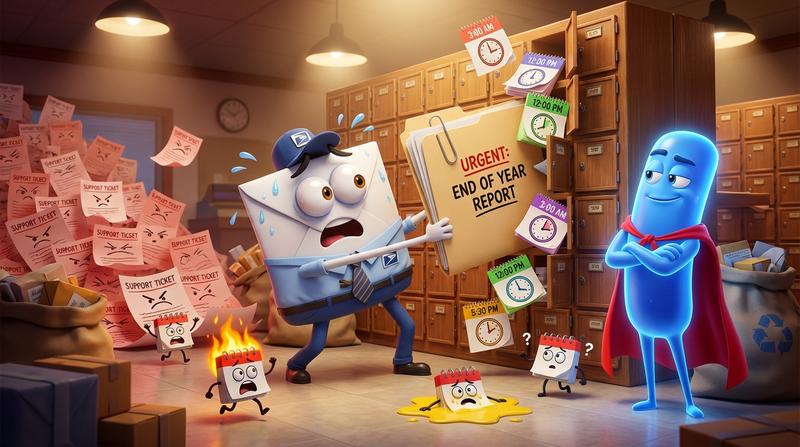
You spent hours crafting the perfect event email. Gorgeous header image. Punchy copy. A beautiful ICS file attached, ready to drop straight into every subscriber's calendar. You hit send to 10,000 people, poured yourself a coffee, and then... the support tickets started rolling in within minutes.
"The event shows up at 3 AM for me?""The location field is blank.""I can't even open the attachment on my phone."
Sound familiar? You're not alone. And the problem isn't your email copy - it's the ICS file itself.
📌 Key Takeaways
- Attaching ICS files to marketing emails introduces timezone errors, deliverability penalties, and cross-client rendering chaos.
- Gmail, Outlook, and Apple Mail each handle ICS attachments differently - and Microsoft's New Outlook now enforces RFC 5545 so strictly that previously "working" files silently break.
- Dynamic ICS generation via a hosted calendar link outperforms static file attachments on every metric that matters: deliverability, accuracy, and trackability.
- A single hosted link replaces fragile file attachments and gives you click analytics, real-time event updates, and cross-platform compatibility.
- Add to Calendar PRO handles RFC 5545-compliant ICS file generation so you never have to debug a VTIMEZONE block again.
🤔 Why Marketers Reach for ICS Files in the First Place
The logic is genuinely sound. You want someone to attend your event. The fastest path from "interested" to "committed" is getting that event onto their calendar. An ICS file does exactly that - one click, and the event lands in whatever calendar app they use.
So you Google "how to create ICS file," cobble together a .ics attachment, and drop it into your next campaign.
Here's the deal: there's a meaningful difference between a link and an attachment in the email context. A link takes the subscriber somewhere. An attachment asks the email client to do something with a file. And email clients are notoriously opinionated about what they'll do with files strangers send them.
But ICS feels like the professional choice. It feels polished. It feels like something a Fortune 500 company would do.
Unfortunately, feeling professional and actually working across 10,000 inboxes are two very different things.
💔 The Hidden Ways ICS Attachments Break in Email
This is where it gets ugly. Let's walk through the failure modes that nobody warns you about.
1. Email Client Filtering
Gmail, Outlook, and Apple Mail all handle attached ICS files differently:
- Gmail sometimes renders a nice inline calendar card from an ICS attachment. Sometimes it doesn't. It depends on the file structure, the sender reputation, and apparently the phase of the moon.
- Apple Mail tends to be more forgiving - it'll often display a calendar preview. But formatting inconsistencies still creep in.
- Microsoft's New Outlook (the 2023+ rewrite) has completely rewritten its ICS parser. As documented by Sanford Whiteman, it now enforces RFC 5545 so strictly that files which worked perfectly in Classic Outlook silently drop the Location field if your VALARM blocks appear before your event properties. No error message. Just... missing data.
That last one is particularly nasty. Your subscribers import the event, it looks fine, and then they show up to nowhere because the location vanished.
If you've ever struggled with calendar links that work in Gmail but break in other email clients, you know this cross-client chaos isn't theoretical. It's a daily reality.
2. Timezone Encoding Errors
Have you ever worked with timezones? Crazy thing.
The RFC 5545 specification requires proper VTIMEZONE blocks to define how event times map to specific zones. Get this wrong - or omit it - and your 2:00 PM EST event becomes a 2:00 PM UTC event. That's your subscribers on the US East Coast seeing the event at the right time, while everyone else gets silently shifted by hours.
And here's the kicker: most ICS file generators don't flag this. The file is technically valid. It's just wrong.
3. Character Encoding Bugs
Got an ampersand in your event title? An accent mark? An emoji? Congratulations - you've just discovered that some calendar parsers will corrupt your event title into a garbled mess of UTF-8 artifacts.
4. The "Double Import" Problem
When a subscriber opens your email on their phone, imports the ICS file, then later opens it on their laptop and imports it again - they now have two duplicate events. Unless your UID (the unique identifier required by RFC 5545) is consistent and the calendar app is smart enough to de-duplicate, your subscriber's Tuesday just got cluttered.
⚡ Dynamic vs. Static ICS Generation
This distinction matters more than most marketers realize.
| Static ICS (Attached File) | Dynamic ICS (Hosted Link) | |
|---|---|---|
| Content | Frozen at send time | Generated fresh on every click |
| Event updates | Impossible after send | Reflected immediately |
| Timezone handling | Baked in (and often wrong) | Calculated per request |
| Venue change at the last minute | Subscribers have stale data | Subscribers always get current info |
| File size in email | Adds attachment weight | Zero attachment weight |
A static ICS file is a snapshot. The moment you hit send, whatever you encoded into that file is permanent. Venue changed? Too bad. Start time shifted by 30 minutes? Your 10,000 subscribers still have the old time.
Dynamic generation means the event URL produces a fresh, valid ICS file every time someone clicks it. The event details live on a server, not frozen inside an email attachment.
For any live event that might change - and let's be honest, most events change something between announcement and day-of - dynamic generation is the only sane approach.
"Plans are nothing; planning is everything." - Dwight D. Eisenhower
Your ICS strategy should plan for change. Static files can't do that.
📧 ICS Links vs. ICS Attachments in Email Marketing
Beyond accuracy, there's a deliverability argument that should make every email marketer pay attention.
Attachments hurt your sender reputation. Email providers are increasingly suspicious of messages carrying file attachments - especially from bulk senders. Your beautifuly crafted campaign email with an ICS attachment is competing against the same attachment patterns that spam and phishing emails use.
Consider the 2025 benchmarks: the average email open rate sits at 43.46%, with click rates averaging just 2.09%. You cannot afford to lose deliverability points over an attachment that half your subscribers can't open properly anyway.
Here's what a clean link gets you instead:
- Better deliverability - No attachment flags from spam filters
- Click tracking - You know exactly who clicked the calendar link (try tracking who opened a blind attachment)
- Cross-platform support - One link can serve Google Calendar, Apple Calendar, Outlook, and ICS download options simultaneously
- Smaller email payload - Faster loading, especially on mobile
An attachment is a black box. A link is a measurable touchpoint. And if you're running a print-to-digital event activation campaign - bridging physical flyers or direct mail with digital calendar adoption via QR codes - that measurability becomes even more critical. You need to know which print pieces are driving calendar saves.
🛠️ What Good ICS Generation Actually Looks Like
If you're going to generate ICS files (and you should - just not as email attachments), here's what "correct" looks like according to the spec:
- DTSTAMP and UID are the only two strictly required properties in a VEVENT component
- DTSTART is required when no METHOD property is specified (which covers 99% of marketing use cases)
- VTIMEZONE blocks must correctly define the timezone, including DST transitions
- VALARM components (reminders) must appear after all event properties - not before - or New Outlook will silently strip fields like Location
- UID consistency must be maintained so calendar apps can update existing events rather than creating duplicates
Getting all of this right across Google Calendar, Apple Calendar, Outlook (both Classic and New), Yahoo Calendar, and mobile clients is... a lot. If you've ever dealt with hand-coded ICS files that break silently in Outlook, you know exactly how deep this rabbit hole goes.
This is precisely where Add to Calendar PRO removes every one of these headaches without touching your ESP. You create your event once, get a hosted link (or embeddable button), and the platform handles:
- Valid VEVENT structure with correct VTIMEZONE blocks
- Proper property ordering that satisfies New Outlook's strict parser
- Automatic support for all major calendar platforms from a single link
- Dynamic generation so event updates propagate instantly
- Click analytics so you can actually measure calendar adoption
You don't need to become an RFC 5545 expert. You need a tool that already is one.
"Complexity is your enemy. Any fool can make something complicated. It is hard to make something simple." - Richard Branson
✅ Stop Attaching, Start Linking
The fix is straightforward. Stop attaching ICS files to your emails. Start using hosted calendar links instead.
Here's your quick action checklist:
- Remove ICS attachments from all email templates immediately
- Replace with a hosted calendar link or an "Add to Calendar" button that points to a dynamicaly generated page
- Test across clients - at minimum, test in Gmail, Apple Mail, Classic Outlook, and New Outlook
- Track clicks on your calendar link just like any other CTA
- Connect print collateral - use QR codes on flyers and posters that point to the same hosted calendar link for a unified, measurable print-to-digital funnel
- Use a purpose-built tool like Add to Calendar PRO to handle the RFC compliance, timezone logic, and cross-platform rendering so you can focus on what you're actualy good at - writing great event emails
That one change - swapping an attachment for a link - simultaneously improves your email deliverability, ensures your event details are always current, gives you real analytics, and dramatically reduces the support tickets from confused subscribers who got the wrong time, wrong location, or couldn't open the file at all.
Your subscribers deserve an event that lands in their calendar correctly. Every time. On every device. In every timezone.
Stop attaching. Start linking. Your inbox (and your attendees) will thank you. 🚀