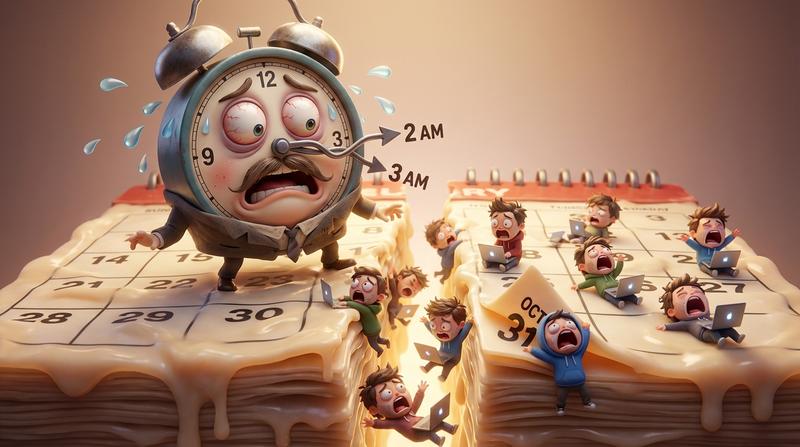
It's 3 AM. Your phone buzzes with Slack notifications. A customer in Berlin just missed your webinar because the calendar invite said 2 PM instead of 3 PM. Your event promotion emails went out to 50,000 subscribers - all with the wrong time.
Welcome to DST debugging hell.
📌 Key Takeaways
- Daylight Saving Time transitions break calendar links twice yearly - and the bugs only surface when it's too late
- The economic cost of DST-related issues reaches $672 million annually in the U.S. alone (health impacts, accidents, productivity loss)
- Hand-coding timezone logic and ICS files is a maintenance nightmare that compounds technical debt every year
- The IANA timezone database updates multiple times per year - your hand-rolled solution needs constant maintenance
- API-based solutions handle DST transitions automatically, letting you focus on event promotion instead of date math
The Timezone Minefield 💣
"I have a simple event at 7 PM Eastern. How hard can timezones be?"
Famous last words.
Here's the deal: UTC offsets look deceptively simple until Daylight Saving Time enters the chat. That clean -05:00 for Eastern Time? It silently becomes -04:00 when DST kicks in. And your calendar links - the ones you carefully coded three months ago - suddenly display the wrong time to half your audience.
The edge cases will destroy you:
- Arizona doesn't observe DST (except the Navajo Nation, which does)
- Indiana had counties split between time zones until 2006
- The EU transitions on different dates than the US - causing a 2-3 week window where offsets are completely different
- Australia's DST moves in the opposite direction (because Southern Hemisphere)
Let me paint you a picture. You're promoting a virtual conference. Registration page says "7 PM ET." But your ICS file was generated with a hardcoded UTC offset. DST hits. Now half your registrants see "8 PM" in their calendars while the other half sees "7 PM."
Which one shows up? Neither - they're both confused.
As Albert Einstein reportedly said: "The only reason for time is so that everything doesn't happen at once." But with broken timezone logic, your events might as well not happen at all.
This is one of those timezone bugs that break production systems that catches even experienced developers off guard. And the kicker? According to research from Chmura Economics, DST-related disruptions cost the U.S. economy approximately $672 million annually - from increased health incidents to workplace accidents and productivity losses.
Your broken calendar links are just part of that chaos.
The ICS File Generation Nightmare 😓
So you decide to do it right. You'll generate proper ICS files with VTIMEZONE blocks.
May the odds be ever in your favor.
Hand-coding VTIMEZONE components is where developer hope goes to die. The spec requires you to define:
- Standard time offset
- Daylight time offset
- Transition dates (which change based on political decisions)
- RRULE patterns for recurring transitions
- Historical data for past events
But there's a catch: the RRULE specification for recurrence rules practically requires a PhD to implement correctly. Want a "second Tuesday of every month" event? That's BYDAY=2TU. Easy enough. Now add "except holidays" and "adjust for DST transitions" and "end after 12 occurrences but not past December."
Your regex skills won't save you here.
And then comes the cross-client compatibility circus:
| Calendar Client | ICS Quirk That Will Ruin Your Day |
|---|---|
| Outlook (Desktop) | Requires specific VTIMEZONE formatting or ignores timezone entirely |
| Outlook (Web) | Different parsing rules than desktop version |
| Google Calendar | Generally forgiving, but handles all-day events differently |
| Apple Calendar | Strict about line folding (max 75 characters per line) |
| Apple Mail | Sometimes creates duplicate events from the same ICS |
| Samsung Calendar | Has its own interpretation of recurring events |
I've seen developers spend weeks getting an ICS file to work across all major clients - only to have Microsoft push an update that breaks everything. This is exactly the hidden hell of hand-coding calendar links that nobody warns you about during the initial sprint planning.
The Multi-Platform Testing Hell 🔥
Your ICS file finally works on desktop. Ship it!
Not so fast.
Open that same file on mobile and watch the chaos unfold. Android and iOS handle calendar imports differently. Some Android devices strip timezone data entirely. iOS might interpret your RRULE one way while Google Calendar on Android interprets it another.
The QA matrix you'd actually need to trust your code:
- Desktop Testing
- Outlook 2019, 2021, 365 (Windows)
- Outlook for Mac
- Apple Calendar (macOS)
- Google Calendar (Chrome, Firefox, Safari, Edge)
- Thunderbird
- Mobile Testing
- iOS Mail + Calendar (iPhone, iPad)
- Gmail app (iOS and Android)
- Google Calendar app (iOS and Android)
- Samsung Calendar
- Outlook mobile (iOS and Android)
- Edge Cases
- Different OS versions
- Different app versions
- Corporate Exchange environments
- Various regional settings
That's easily 30+ test scenarios. For every event. Every time you change something.
Nobody actually does this. They cross their fingers and hope.
The Maintenance Burden Nobody Warns You About 😤
Let's say you somehow built a working solution. ICS files generate correctly. Timezones render properly. Events show up at the right time across clients.
Congratulations. Now maintain it forever.
The IANA timezone database - the authoritative source for timezone data worldwide - updates multiple times per year. In 2025 alone, they've already released versions 2025a, 2025b, and 2025c. Each update can include:
- New timezone definitions
- Changed DST transition dates
- Historical corrections
- Political boundary changes
Remember when the U.S. changed its DST dates in 2007? The Energy Policy Act of 2005 extended DST by several weeks. Every hand-rolled timezone solution needed updates. Many didn't get them - and events broke.
Countries change DST rules based on political whims. Russia abolished DST in 2011, then partially reinstated it. Egypt has flip-flopped multiple times. Morocco adjusts DST around Ramadan.
Your "finished" calendar integration becomes technical debt the moment you deploy it.
"The best code is no code at all." - Jeff Atwood
Every line of timezone logic you write is a line you'll need to maintain, debug, and eventually rewrite.
The API Escape Hatch 🛠️
Here's what timezone-aware infrastructure actually looks like:
What You're Building Manually:
- IANA database integration and updates
- VTIMEZONE block generation
- Cross-client ICS compatibility
- DST transition handling
- Recurrence rule parsing
- Multi-platform testing
- Ongoing maintenance
What You Actually Want:
- Create event → Get working calendar links
- That's it. That's the whole list.
Add to Calendar PRO handles the hard parts automatically. The API manages DST transitions behind the scenes. When the IANA database updates, the infrastructure updates. When Outlook changes its ICS parsing, the platform adapts.
| Manual Implementation | API-Based Solution (Add to Calendar PRO) |
|---|---|
| Weeks of initial development | Minutes to integrate |
| Ongoing timezone database updates | Handled automatically |
| Cross-client testing burden | Pre-tested across all major clients |
| DST bugs twice yearly | Zero DST-related issues |
| Technical debt accumulation | Maintenance-free |
The math is simple. Your engineering hours cost money. Debugging obscure timezone edge cases at 3 AM costs more (in sanity, if nothing else).
Stop Debugging, Start Promoting 🚀
Your job is event promotion. Growing attendance. Building excitement. Converting interest into commitment.
Your job is not fighting IANA databases, decoding RFC 5545 specifications, or figuring out why Outlook 2019 ignores your perfectly valid VTIMEZONE block.
Every hour spent on calendar link bugs is an hour not spent on:
- Crafting better event descriptions
- Optimizing registration flows
- Building pre-event engagement sequences
- Analyzing attendance patterns
- Actually running your events
The timezone problem is solved. The ICS compatibility problem is solved. The DST transition problem is solved. These solutions exist - you just need to use them instead of rebuilding them from scratch.
Add to Calendar PRO's API gives you bulletproof calendar integration without the bullet wounds. Native timezone management. Automatic DST handling. Cross-platform compatibility that actually works.
Let the API handle the date math. You handle the event promotion.
Because nobody ever grew their business by becoming a world-class VTIMEZONE debugger.
Your next DST transition is coming. Will your calendar links survive it?