Key Takeaways
- A 52% nonprofit email open rate means nothing if donors never block the date on their calendar.
- One in five registered attendees won't show up - and for free events, it's closer to one in three.
- RSVP confirmation emails that skip a calendar save button leave the biggest commitment gap wide open.
- Click-to-save rate is a stronger predictor of actual attendance than open rate, click rate, or even RSVP count.
- Embedding a trackable Add to Calendar button in your Mailchimp or HubSpot flow is the simplest fix you're probably not doing.
Here's a number that should sting: the median no-show rate for free events is 28%. For smaller ones? It can climb past 40%. (PheedLoop's Event Data Lab Report)
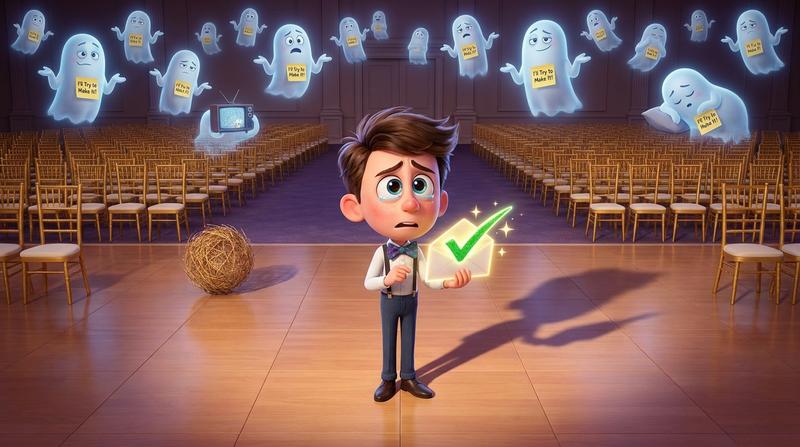
Your fundraising email had a beautiful subject line. It got opened. Maybe it even got clicked. But when event night rolled around, half the chairs were empty, the caterer was side-eyeing you, and your executive director was asking what went wrong.
Nothing went wrong with the email. Something went wrong after the email.
The gap between "interested" and "committed" is exactly one missed calendar save. And if you're running fundraising events - galas, donor appreciation dinners, charity auctions - you already know that RSVP forms alone don't fill rooms.
Let's talk about why. And more importantly, let's fix it.
🎯 Why Fundraising RSVP Is a Different Beast
Donors are not your typical event attendees. They're busy. They're distracted. And they are absolutely drowning in email.
According to MailerLite's 2025 benchmarks, nonprofits enjoy one of the highest open rates across all industries - 52.38%. That's incredible! But the click rate? Just 2.90%.
So over half your list opens the email. Fewer than 3 in 100 click anything. And of those who do click and RSVP... a significant chunk never actually shows up.
Here's the deal: there's a massive psychological gap between saying "I'll go" and actually going.
The Psychology of Commitment
Peter Gollwitzer's research on implementation intentions explains this perfectly. His 1999 study and subsequent meta-analysis found that people who form a specific if-then plan - "On Thursday at 6 PM, I will drive to the venue" - are dramatically more likely to follow through (effect size d ≈ 0.65, which is medium-to-large).
A calendar block is an implementation intention. It anchors the event to a specific time, date, and place in the donor's day. Without it, your gala is just another good intention floating in someone's inbox.
"People with goals succeed because they know where they're going." - Earl Nightingale
The silent drop-off between confirmation and event day? That's the intention-behavior gap. And closing the commitment gap between registration and attendance is the single highest-leverage thing you can do after someone RSVPs.
💔 What Your Mailchimp or HubSpot Flow Is Missing
Let's look at the typical nonprofit fundraising email flow:
- Invitation email → donor clicks "RSVP Now"
- Confirmation email → "You're registered! See you there!"
- Reminder email → sent 3 days before the event
- Event day → 🤞
Spot the problem?
That confirmation email - step 2 - says "you're registered" but never says "block off your calendar." It's the most critical moment in the entire flow, and most nonprofits waste it on a generic thank-you.
But What About ICS Attachments?
You might be thinking: "We attach an .ics file to our confirmation email."
Here's the catch: ICS attachments break more than they help in bulk sends.
- Gmail often buries them or strips them entirely.
- Outlook sometimes renders them inline, sometimes doesn't.
- Mobile clients handle them inconsistently.
- Apple Mail Privacy Protection inflates your open rates, making you think things are working when they're not.
The result? Your donor sees an attachment icon, maybe clicks it, hits some confusing dialog box, and gives up. That's not a calendar save. That's friction.
| ICS File Attachment | Direct Calendar Protocol Link | Hosted Calendar Save Button | |
|---|---|---|---|
| Gmail support | ⚠️ Inconsistent | ❌ Often blocked | ✅ Works reliably |
| Outlook support | ⚠️ Varies by version | ⚠️ Partial | ✅ Works reliably |
| Mobile experience | ❌ Confusing dialogs | ❌ Often fails | ✅ Device-optimized |
| Trackable | ❌ No | ❌ No | ✅ Yes |
| Brand-customizable | ❌ No | ❌ No | ✅ Yes |
| Works across all calendar apps | ⚠️ Mostly | ❌ Only one at a time | ✅ User chooses |
The one CTA your email designer keeps forgetting is a proper, hosted "Add to Calendar" button that works across every client, every device, every calendar app. For a detailed walkthrough, check out adding a calendar save button to your Mailchimp campaigns.
🛠️ Building a Fundraising RSVP Flow That Actually Converts
So how do you close the gap? Let's rebuild that flow.
Step 1: Embed an Add to Calendar Button in Your Confirmation Email
The moment someone RSVPs is the moment they're most motivated. Don't waste it.
Your confirmation email should include - right beneath the "You're registered!" headline - a prominent button that says "Save the Date to Your Calendar."
Not buried at the bottom. Not as an afterthought. Front and center.
Step 2: Use Add to Calendar PRO to Generate Trackable, Branded Links at Scale
Here's where it gets interesting.
Add to Calendar PRO lets you create hosted calendar save links that:
- Detect the user's device and calendar app automatically (Google Calendar, Apple Calendar, Outlook, etc.)
- Work inside any email client - because it's a standard link, not an attachment or protocol hack
- Track every save - so you know exactly who added your event to their calendar and who didn't
- Stay branded - with your nonprofit's logo, colors, and event details
You generate one link. You drop it into your Mailchimp or HubSpot template. Done. It works for every subscriber regardless of what device or calendar they use.
No coding. No per-client testing nightmares. No "wait, does this work in Gmail?" panic.
Step 3: Treat Calendar-Add Rate as Your Leading Attendance Metric
This is the mindset shift most fundraising teams miss.
Stop obsessing over open rates (they're inflated by Apple Mail Privacy Protection anyway). Start tracking how many people actually saved your event to their calendar.
Why? Because a calendar save is a behavioral commitment. It's the donor telling their future self: "This matters. Be there."
"What gets measured gets managed." - Peter Drucker
Open rate tells you your subject line worked. Click rate tells you your CTA was visible. But click-to-save rate? That tells you someone is actually planning to show up.
📊 Measuring What Matters
Let's get analytical. Because if you can't measure it, you can't improve it.
Why Click-to-Save Rate Predicts No-Shows Better Than Any Other Metric
PheedLoop's data shows that the gap between registration and attendance is fundamentally a commitment gap, not a marketing gap. Adding calendar integrations is one of their top recommended strategies for reducing no-shows - especially for free events.
Think about it:
- Opened but didn't RSVP → Low intent
- RSVPed but didn't save to calendar → Medium intent, high risk of no-show
- RSVPed AND saved to calendar → High intent, high likelihood of attendance
Calendar-add engagement is the leading indicator your fundraising team has been ignoring. For the full breakdown, read the email metric that actually predicts no-shows.
Feeding Calendar Data Back into Your Email Segmentation
Once you're tracking saves with Add to Calendar PRO, you can segment your audience into three groups:
| Segment | Behavior | Action |
|---|---|---|
| 🟢 Committed | RSVPed + Saved to calendar | Light reminder only. Maybe a "what to expect" email. |
| 🟡 At-Risk | RSVPed but did NOT save to calendar | Send a nudge: "Don't forget to block the date!" with another calendar button. |
| 🔴 Ghosting | Opened email but never RSVPed | Re-engagement campaign with urgency or social proof. |
This is powerful stuff. You're not blasting the same reminder to everyone - you're targeting the right message to the right people based on behavioral data.
Spotting At-Risk Donors Before the Event
Here's where it gets really smart.
If you see that 60% of your RSVPs haven't saved the date 5 days before the event, you know you have a no-show problem brewing. You can:
- Send a personalized "We're saving your seat" email with a fresh calendar button
- Have a board member reach out to high-value donors directly
- Adjust catering and logistics before you're stuck overpaying
Remember: PheedLoop recommends planning for 70% of expected attendance at free events. But if you're tracking calendar saves, you'll have a much more accurate picture than raw registration numbers.
🏁 The RSVP Is Not the Finish Line
Let's be honest with ourselves.
We've been treating RSVP as the end of the fundraising email journey. It's not. It's the middle.
Your fundraiser fills when donors block the date - not when they click "Register." The difference between a packed room and an embarassing sea of empty chairs often comes down to one tiny interaction: did the donor put your event on their calendar?
One button, added in the right place, closes the gap.
So here's your action plan for this week:
- Open your Mailchimp or HubSpot confirmation email template for your next fundraising event.
- Add a prominent "Save to Calendar" button using Add to Calendar PRO - it takes minutes, not hours.
- Track your click-to-save rate alongside your open and click rates.
- Segment your audience based on who saved and who didn't.
- Re-engage the at-risk segment before event day.
That's it. No massive workflow overhaul. No expensive new platform. Just one smart addition to the flow you're already running.
Because the best fundraising email in the world doesn't matter if nobody remembers to show up. 🎟️