📌 Key Takeaways
- A 57% average registration-to-attendance rate means nearly half your registrants will ghost you - and multi-track conferences make it worse.
- Email open rates are inflated by up to 32 percentage points thanks to Apple Mail Privacy Protection. Stop trusting them.
- One generic ICS link can't serve a choose-your-own-agenda conference. Per-session calendar buttons are the fix.
- A calendar save is a micro-commitment - it outperforms reminder emails at predicting who actually shows up.
- Add to Calendar PRO lets you generate individual, timezone-aware session links in bulk and embed them cleanly inside Mailchimp or HubSpot emails.
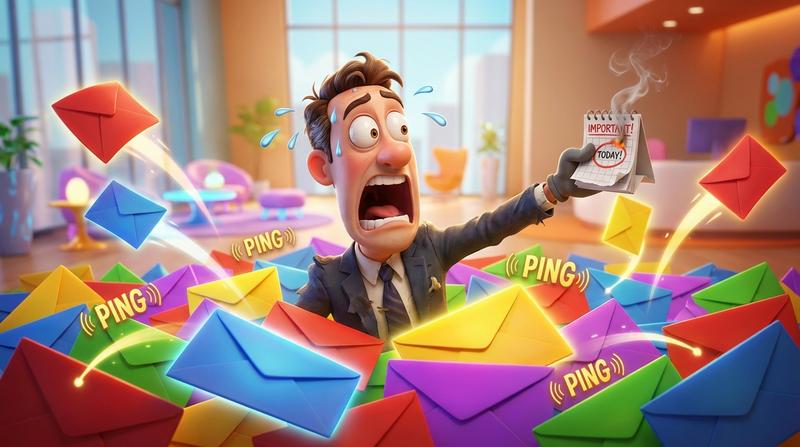
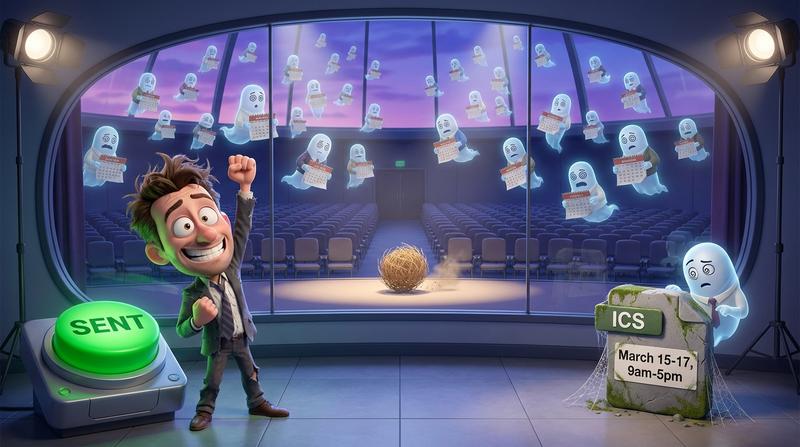
Your open rate hit 48%. Marketing high-fived. The conference kicked off three weeks later and 400 registered attendees never walked into their chosen sessions.
Sound familiar?
Here's the uncomfortable truth most email marketers don't want to hear: your open rate is lying to you, and your show-up rate is paying the price.
According to the ON24 2025 Webinar Benchmarks Report, the average webinar conversion rate from registration to actual attendance is just 57%. That means 43 out of every 100 registrants simply... don't show up. And for multi-track conferences - where attendees juggle 3, 5, even 8 sessions across parallel tracks - the drop-off gets uglier.
The gap between "registered" and "actually there" doesn't start at the venue door. It starts in the email.
And that gap has a name. It's the commitment gap between registration and attendance.
💔 Why Multi-Track Conference Scheduling Breaks Inside Email
Let's break down why your beautifully designed conference email is failing at the one job that matters most: getting sessions onto calendars.
Attendees register for 3+ sessions but save zero to their calendar
Think about it. Your attendee registers for a conference with 6 parallel tracks. They pick sessions on Day 1, Day 2, and Day 3. They get a confirmation email. Maybe even a follow-up.
But here's what they don't do: manually open their Google Calendar, create 6 separate events, type in the session names, copy-paste the Zoom links, figure out the timezone math, and set reminders.
Nobody does that. Plans change. Inboxes overflow. The email gets buried. And suddenly your carefully curated multi-track experience has an audience of half.
One ICS link can't serve a choose-your-own-agenda conference
Most email marketers throw a single "Add to Calendar" ICS file into the email. One file. For an entire conference.
But what does that file contain? The opening keynote? All 47 sessions? Just the tracks the attendee selected?
Usually, it's a generic .ics that covers the full conference window - say, "March 15-17, 9am-5pm." That's not a schedule. That's a block of time. It tells your attendee nothing about which sessions they should be in, when, or where.
For a single-session webinar, one ICS file works fine. For a multi-track conference? It's like handing someone a map of an entire city when they asked for directions to one restaurant.
Mailchimp and HubSpot don't have a native fix for this
Here's the kicker: neither Mailchimp nor HubSpot offers a built-in way to embed per-session calendar buttons in your emails. You can add a link, sure. But generating dynamic, per-session, timezone-aware calendar links that render correctly across Apple Mail, Gmail, Outlook, and 50 other clients?
That's not a feature in your ESP's drag-and-drop editor. It's a gap. And it's the gap where your attendees fall through.
🛠️ What a Real Multi-Track Conference Scheduling Tool Looks Like
So what should the experience look like for your subscribers?
Let's compare:
| ❌ The Old Way | ✅ The Better Way | |
|---|---|---|
| Calendar link type | One generic ICS for the whole conference | Individual "Add to Calendar" button per session |
| Personalization | None - same file for everyone | Dynamic links reflecting subscriber's selected tracks |
| Timezone handling | Static time, hope for the best | Timezone-aware links that auto-adjust |
| Email client compatibility | Breaks in Outlook, fails on mobile | Clean hosted links that work in every client |
| User effort | Download file, import manually, repeat | One click per session. Done. |
Per-session Add to Calendar buttons vs. one generic link
Instead of one sad ICS attachment at the bottom of your email, imagine this: each session in your email has its own branded "Add to Calendar" button. Your attendee scrolls through, sees "AI in Healthcare - Track B, March 16, 2:00 PM EST," taps the button, and boom - it's on their calendar. With the correct time, the correct Zoom link, and the correct session title.
That's not a fantasy. That's what per-session calendar links do.
Dynamic links that reflect the subscriber's selected tracks
If you're already segmenting your list by track selection (and if you're running a multi-track conference in HubSpot or Mailchimp, you should be), you can pair those segments with the corresponding session calendar links. Track A subscribers get Track A buttons. Track B gets Track B.
No clutter. No irrelevant sessions. Just the agenda they chose, ready to save.
How this works inside a Mailchimp or HubSpot email block
The big worry: "Won't embedding a bunch of calendar buttons break my email layout?"
Nope. Not if you're using hosted link approaches instead of raw ICS file downloads or iframes. A hosted calendar link is just a URL - it works like any other button in your email template. No special rendering. No iframe nightmares. No broken layouts on mobile (where 60% of email opens happen).
You can learn more about building calendar links that work inside every email client - because the last thing you need is a button that looks great in your preview but silently fails in Outlook.
🧠 The Psychology of Commitment at Scale
"People don't decide their priorities. They discover them by looking at their calendar." - attributed to various productivity thinkers, and it's dead-on.
Let's talk about why saving a session to a calendar is so much more powerful than reading an email about it.
Saving a session = micro-commitment that predicts attendance
Registration is passive. It costs nothing emotionally. You fill out a form, maybe you mean it, maybe you don't.
But saving an event to your calendar? That's an active choice. You're telling your future self: "I will be here, at this time, doing this thing." It's a micro-commitment - small enough that it takes 3 seconds, significant enough that it changes behavior.
Research on the commitment gap between registration and attendance shows that a one-click calendar save dramatically increases follow-through. It transforms a vague intention into a scheduled obligation.
Why the calendar save outperforms the reminder email every time
Reminder emails compete with 100+ other emails in your subscriber's inbox. A calendar event sits on their schedule - with a notification they've already opted into.
Which one do you think wins?
Here's the data that makes this even more urgent: Apple Mail Privacy Protection now inflates reported open rates by 18 to 32 percentage points for audiences with heavy Apple Mail usage. Apple Mail accounts for roughly 58% of all email opens globally. So when you send a "reminder" email and see a 55% open rate, a huge chunk of those "opens" are machines, not humans.
Your reminder email might not even be getting seen. But a calendar notification? That's real. That's on their phone. That's at the right time.
If you want to create add to calendar links that actually convert in email, start thinking of the calendar save as your real conversion event - not the open, not the click.
The 3-second action that separates no-shows from front-row attendees
Think of it this way:
- 📧 Email open → unreliable (thanks, Apple MPP)
- 🖱️ Email click → interest, maybe
- 📅 Calendar save → commitment
That 3-second action - tap, select calendar, save - is the strongest intent singal you can capture from an email. It's the moment a passive reader becomes a committed attendee.
🚀 Building the Flow with Add to Calendar PRO
Ok, so you're convinced. Per-session calendar buttons. Micro-commitments. Real engagement metrics. But how do you actually build this for a 30-session, 4-track conference without losing your mind?
Here's where Add to Calendar PRO comes in - not as a magic wand, but as the technical enabler that makes all of this practical.
Generating individual session links in bulk
You don't need to manually create 30 separate calendar events one by one. Add to Calendar PRO lets you generate individual session links in bulk. Upload your session data - titles, times, descriptions, locations or virtual links - and get back a set of unique, hosted calendar links ready to drop into your email.
Embedding branded buttons per track inside your email template
Each link works as a simple URL. That means you can wrap it in a styled button inside your Mailchimp or HubSpot email template - matching your conference branding, your track color-coding, whatever you want.
No iframe embeds. No JavaScript. No custom code that breaks rendering. Just a clean link behind a clean button.
Timezone-aware links so nobody shows up an hour late
Have you ever worked with time zones? Crazy thing. Your speaker is in Berlin, your attendee is in Chicago, and your email says "2:00 PM" without specifying whose 2:00 PM.
Add to Calendar PRO generates timezone-aware links. When an attendee saves a session, it automatically adjusts to their local time. No confusion. No one showing up an hour late (or early, staring at an empty stage).
Session drop-off is already a problem - industry benchmarks show 30-40% drop-off rates for webinars and virtual events. Don't make it worse by getting the time wrong.
No iframe, no clutter - just clean links that work in every client
This is the part that matters most to email marketers: it just works. Gmail, Outlook, Apple Mail, Yahoo, the weird Androi email client your CEO uses - the links render and function everywhere. Because they're hosted links, not embedded widgets.
No broken layouts. No "this content is blocked" warnings. No frustrated subscribers.
📅 Your Open Rate Is Not Your Attendance Rate
Let's be brutally honest for a second.
"What gets measured gets managed." - Peter Drucker
And right now, most email marketers are measuring the wrong thing. Open rates are inflated. Click rates tell you about curiosity, not commitment. The metric that actually predicts attendance is the calendar save rate.
Here's the fix, in three steps:
- Stop relying on one generic ICS file for multi-track conferences. It doesn't serve your attendees and it doesn't serve your data.
- Embed per-session, timezone-aware calendar buttons inside your Mailchimp or HubSpot emails. Make each session independently saveable.
- Track calendar saves as your real engagement metric. That's where interest becomes commitment.
The tool that makes multi-track scheduling feel effortless - without breaking your email templates or your sanity - is Add to Calendar PRO. It handles the bulk generation, the timezone logic, the cross-client compatability, and the branded buttons.
Because 400 attendees without a session on their calendar isn't a scheduling problem.
It's a missing step in your email. And now you know how to fix it. 🎯