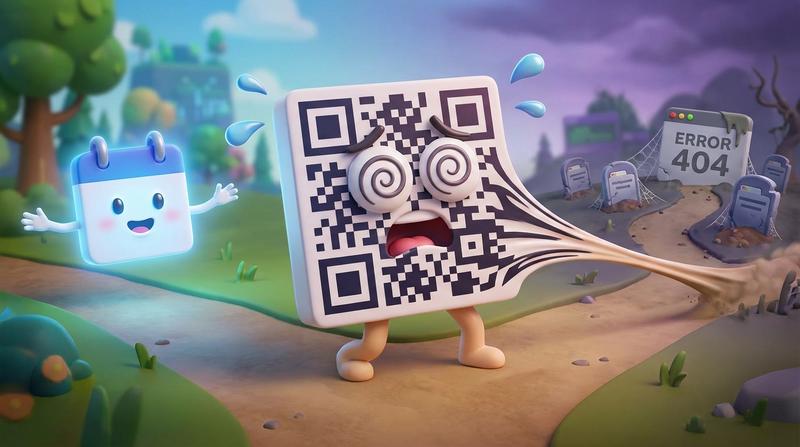

You hit 500 registrations. You popped the champagne. Then you went live - and 47 people showed up.
Sound familiar? You're not alone. According to data from over 1 million webinar registrants, the average live attendance rate hovers around 44–50%. That means more than half of the people who enthusiastically typed their email into your registration form never showed up.
Here's the cruel part: it's probably not your topic. It's not your marketing. It's not even your audience's interest level.
It's a mechanics problem. And the fix is simpler than you think.
📌 Key Takeaways
- The average webinar no-show rate sits between 50–56%. The #1 reason? People simply forget.
- Confirmation emails get opened 60–70% of the time - but most hosts waste that attention on a receipt instead of a commitment device.
- A calendar entry transforms a vague intention into a scheduled obligation, dramatically cutting no-shows.
- Course creators, universities, and webinar hosts managing recurring or multi-session schedules need bulk, timezone-aware calendar link generation - not manual workarounds.
- Add to Calendar PRO handles all of this at scale, from single webinars to complex cohort calendars.
😶 Why Registrants Ghost You
Let's get one thing straight: your registrants didn't lie to you. When they signed up, they genuinely intended to attend.
But here's the deal - human memory is not a scheduling system.
The Ebbinghaus forgetting curve, one of the most reliably replicated findings in experimental psychology, shows that people lose the majority of newly learned information within hours. That landmark 2015 replication study from the University of Amsterdam confirmed it: without reinforcement, what you learned today is mostly gone by tomorrow. A 24-hour sleep cycle helps consolidate some memory, but a webinar registration confirmation buried in an inbox? That's not the kind of reinforcement the brain respects.
So what happens between registration and your live session?
- Competing priorities flood in. A Slack message. A client fire. A school pickup. Your webinar loses the mental race within hours.
- The registration "feel-good" moment fades. Signing up feels like doing something. The brain checks the box and moves on.
- No calendar entry = no psychological commitment. Without an event on their calendar, there's literally nothing tethering your registrant to that Tuesday at 2 PM.
67% of webinar no-shows say they simply forgot or got too busy - per Contrast's 2026 data. Not disinterested. Not unimpressed. Just... forgotten.
This is the commitment gap between registration and attendance in its purest form. And it's entirely preventable.
📧 The Confirmation Email That Does Nothing
Here's the irony that stings the most.
Confirmation emails are the highest-performing email type in existence. According to 2025 benchmarks, order and registration confirmation emails achieve open rates of 60–70%. That's 2–3x higher than your average marketing email.
Your registrant opens the confirmation email. They read it. They see the date, the time, maybe a "we're excited to see you!" message.
And then... nothing happens.
Because most confirmation emails are receipts, not commitment devices.
Think about it. Your confirmation email probably includes:
- ✅ The event title
- ✅ The date and time
- ✅ A join link
- ❌ A prominent, impossible-to-miss "Add to Calendar" button
Some hosts do include a calendar link. But it's buried. A tiny hyperlink at the bottom. "Click here to add to your calendar" in 10px grey text, sitting below the unsubscribe link like an afterthought.
That's not the same as a bold, colorful button that demands a click.
Course creators, universities, and webinar hosts all make the same mistake here. They treat the confirmation email as a transaction acknowledgment instead of what it actually is: the single highest-attention moment in your entire attendee journey.
You have a 60–70% open rate. You have a motivated, just-registered human reading your email. And you serve them a receipt.
Wild, right?
As Peter Drucker once said:
"There is nothing so useless as doing efficiently that which should not be done at all."
A beautifully designed confirmation email without a calendar save mechanism is exactly that - efficient uselessness.
Want to fix this specific flow? Here's a deep dive on calendar sync for webinar registration confirmation that breaks it down step by step.
🗓️ Calendar Invitations as a No-Show Prevention System
The moment an event lands on someone's calendar, behavior changes.
This isn't conjecture. It's psychology. A calendar entry creates what researchers call an implementation intention - a specific plan tied to a specific time. It moves a person from "I should attend that webinar" to "I am attending that webinar at 2 PM on Tuesday."
But here's the catch: not all calendar needs are created equal.
| Scenario | Calendar Challenge | What's Needed |
|---|---|---|
| Single live webinar | One event, multiple timezones | Timezone-aware "Add to Calendar" button in confirmation email |
| Weekly webinar series | Recurring events over weeks/months | Recurring calendar entries that auto-populate the full series |
| University cohort schedule | Dozens of sessions, multiple sections, international students | Bulk calendar link generation with automatic timezone localization |
| Multi-session online course | 6–12 sessions across different days/times | A single click that saves the entire course schedule |
Let's break these down.
🎯 Single Webinars
The simplest case. One event, one time. But even here, timezone confusion causes drop-off. A registrant in Berlin sees "2 PM" and assumes CET. Your webinar is at 2 PM EST. They show up 6 hours late (or not at all).
Timezone-aware calendar invitations solve this instantly. The event saves in their local time. No math. No confusion.
🔁 Recurring Series
Weekly webinar series - think "Marketing Mondays" or "Office Hours every Thursday" - need recurring calendar entries. Sending a separate calendar link for each session? That's a recipe for missed weeks and attendee fatigue.
One link. Full series. Done.
🎓 University & Cohort Schedules
This is where things get genuinely complex. A single online program might have:
- 200+ students across 15 timezones
- 3 different cohort tracks with overlapping but distinct schedules
- Mid-semester schedule changes that need to propagate instantly
Manual calendar management at this scale is a nightmare. (Ask any university admin who's tried it with spreadsheets and individual .ics files.)
You need automated cohort calendars for courses and universities at scale - not a part-time intern copy-pasting Google Calendar invites.
Hosts who implement a 3-step reminder sequence (one day before, one hour before, five minutes before) achieve 27% higher live attendance rates. But reminders work best when there's already a calendar entry anchoring the commitment. The reminder pings an existing obligation. Without the calendar entry, it's just another notification competing for attention.
🛠️ Where Add to Calendar PRO Fits In
So you understand the problem. The question is: how do you actually execute this without losing your mind?
Because here's the honest truth - building timezone-aware, cross-platform calendar links that work in Apple Calendar, Google Calendar, Outlook, and every other client... is surprisingly painful. Especially at scale. Especially for recurring events. (Have you ever worked with timezone offsets and daylight saving transitions? Crazy thing.)
Add to Calendar PRO handles the ugly parts so you don't have to.
Here's what it actually does for webinar hosts, course creators, and university program managers:
- Embeddable buttons for confirmation emails and enrollment pages. Not a buried link - a prominent, styled button that your registrant wants to click. Works across email clients, which is trickier than it sounds (spoiler: email HTML rendering is a horror show 😓).
- Recurring series and multi-session support. Set up your 8-week webinar series or 12-session course once. Generate one link or button. Attendees save the entire schedule in a single click.
- Bulk calendar link generation. Running a university program with 500 students across 20 sections? Generate timezone-localized calendar links for every cohort automatically. No spreadsheets. No manual .ics file creation.
- Timezone intelligence. Every calendar invitation renders in the attendee's local timezone. Your registrant in Tokyo sees Tokyo time. Your registrant in Chicago sees Chicago time. Zero confusion.
- Analytics that show who clicked. This is the part most people overlook. If someone clicked "Add to Calendar," they committed. You now have a signal that predicts attendance far better than registration alone. Segment your reminder strategy accordingly: gentle nudges for those who saved, stronger re-engagement for those who didn't.
The downside? Well, doing all this engineering costs money - on our side (😐). But for hosts losing half their audience to no-shows, the ROI math is... not subtle.
🎬 Registration Is Not Attendance
Let's land the plane.
Registration numbers are vanity metrics - unless those registrants actually show up. And the data is brutally clear: 50–56% of them won't, unless you intervene at the exact moment their motivation peaks.
That moment is the confirmation email. The enrollment page. The "You're in!" screen.
As the great William James put it:
"There is no more miserable human being than one in whom nothing is habitual but indecision."
Your registrants aren't indecisive. They're just un-calendared. And an un-calendared intention is barely an intention at all.
The one step between sign-up and show-up isn't another email. It isn't a better subject line. It isn't a fancier landing page.
It's a calendar save.
Make it unavoidable. Make it beautiful. Make it one click.
Not optional. Not buried. Not an afterthought.
The button. Front and center. Every single time. 🚀
Managing webinar schedules, recurring cohorts, or multi-timezone course calendars? Add to Calendar PRO gives you the infrastructure to turn registrations into locked-in calendar appointments - at any scale.