Key Takeaways
- Iframes break your brand styling, kill mobile UX, and silently fail under modern Content Security Policy headers.
- A truly "branded" RSVP form means custom fonts, colors, button states, confirmation messages, and a form URL that reflects your domain - not some random subdomain.
- Hosted forms with real webhook endpoints let Zapier catch every submission - no sandboxed frame shenanigans.
- You can wire a complete automation pipeline (Airtable, Slack, CRM, follow-up sequences) in minutes, eliminating all manual data entry.
- The iframe was never the right tool. It was just the default.
You spent weeks perfecting your event page. The colors are on-brand. The typography is chef's kiss. The layout is buttery smooth on every device.
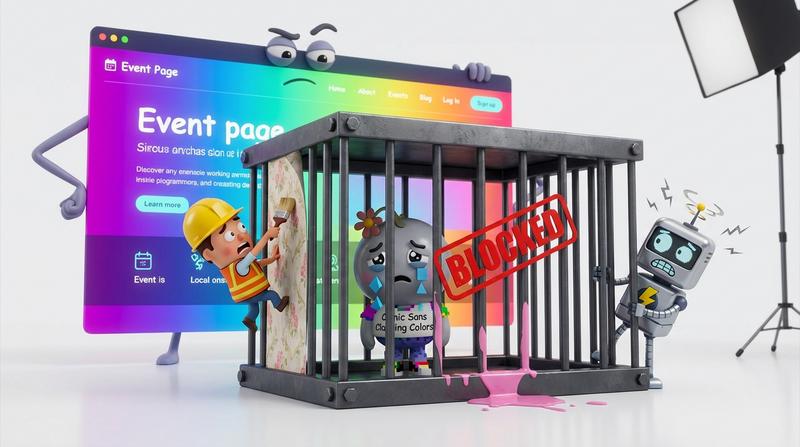
Then you dropped a third-party iframe smack in the middle of it - and everything broke.
Style leakage. Mobile weirdness. Silent CSP errors in Chrome that nobody told you about. And the worst part? Your Zapier zap never fires because the submit event lives trapped inside a sandboxed frame, screaming into the void.
Here's the deal: there's a much better way to collect RSVPs without sacrificing your brand or your automation stack. And no, it doesn't involve writing a custom form from scratch.
(Spoiler: it involves a hosted, fully styled form with a real webhook endpoint. But let's get there step by step.)
💔 Why Iframes Are the Wrong Tool for Branded RSVPs
Iframes feel like a quick fix. Paste a URL, set a height, ship it. But they import someone else's entire DOM into your page. And that's where the trouble starts.
Let's count the ways iframes ruin your RSVP experience:
- Styling is a war you can't win. Your fonts, colors, and spacing all fight the iframe's internal stylesheet. You can't reach inside and override them (same-origin policy says no). So your beautiful page now has a jarring, off-brand rectangle in the middle of it.
- Mobile responsiveness breaks unpredictably. As developer Andy Shora documents in painful detail, iframes on mobile cause scroll bar dysfunction, fixed-position breakage, and Mobile Safari forcibly resizing your iframe to the content height - ignoring every CSS rule you set, including
!important. Fun times. - CSP headers silently block them. Modern browsers enforce Content Security Policy headers that can prevent iframes from loading entirely - with zero user-facing error messages. Your form just... disappears. And you don't know until someone tells you they couldn't RSVP.
- Your automation pipeline goes blind. The submit event fires inside the sandboxed frame. Your parent page can't listen for it (unless the iframe explicitly posts a message, which most third-party forms don't). So your Zapier trigger? It never fires.
"The first rule of any technology used in a business is that automation applied to an efficient operation will magnify the efficiency." - Bill Gates
Iframes magnify the opposite of efficiency. They magnify fragility.
🎨 What "Branded" Actually Means in an RSVP Context
Let's be honest. Most people think "branded" means slapping a logo on a form and calling it a day.
It's not.
A truly branded RSVP experience means:
- Brand-consistent fonts and colors - not just the logo, but the exact hex values from your design system, applied to every input field, button, and label.
- Custom button states - hover, active, focus, disabled. They should all feel like your product.
- Custom confirmation messages - not "Thanks for submitting!" but "You're in, Sarah! Check your inbox for the calendar invite."
- Custom redirect URLs - send them to your thank-you page, your community, or your next offer. Not back to some third-party dashboard.
- A form URL that reflects your domain or product name - not
forms.randomvendor.io/x7g2k. Your attendees notice this stuff. It affects trust.
If your RSVP form doesn't check all of those boxes, it's not branded. It's a logo sticker on someone else's product.
🛠️ The No-Code Path: Hosted Forms That Connect to Your Stack
So if iframes are out, what's in?
A hosted - but fully styled - form page. It sidesteps iframe pain entirely because it's not embedded in your page. It lives at its own URL (which you can customize), and it's designed to look and feel like your brand from pixel one.
Add to Calendar PRO lets you configure branded RSVP forms with custom colors, logos, and copy - no iframe needed. You get a dedicated landing page that matches your event's look and feel, complete with custom fields, attendee limits, and GDPR-compliant data collection.
But here's where it gets interesting for the automation crowd:
The form submission fires a real webhook. Not a JavaScript event trapped in an iframe sandbox. A genuine HTTP POST to an endpoint that Zapier can catch.
That single architectural difference changes everything.
Instead of hacking around iframe limitations with postMessage listeners and custom middleware, you get a clean signal every time someone RSVPs. And you can connect it to Airtable, Notion, or your CRM in minutes using the official Zapier integration.
Here's how the two approaches compare:
| Iframe RSVP Form | Hosted Branded Form + Webhook | |
|---|---|---|
| Styling control | ❌ Limited - fights parent CSS | ✅ Full - your fonts, colors, buttons |
| Mobile experience | ❌ Scroll bugs, resize chaos | ✅ Native responsive behavior |
| CSP compatibility | ❌ Silently blocked in strict setups | ✅ No embedding = no CSP issues |
| Zapier trigger reliability | ❌ Submit event sandboxed | ✅ Real webhook fires every time |
| Brand consistency | ❌ Logo-only at best | ✅ End-to-end brand match |
| Setup complexity | ⚠️ Copy-paste + pray | ✅ Configure once, done |
The difference isn't subtle. It's structural.
⚡ Wiring the Zapier Pipeline
Once you have a reliable webhook trigger, building the full automation pipeline is almost embarrassingly easy.
Here's the setup, step by step:
- Trigger: New RSVP submission via webhook (from Add to Calendar PRO)
- Action 1: Create or update a row in Airtable with the registrant's name, email, and any custom field data
- Action 2: Send a notification to your team via Slack or email ("New RSVP from Sarah for the Q3 Launch Webinar")
- Action 3: Enroll the registrant in a follow-up email sequence in your CRM or email platform
No manual data entry. No copy-pasting between tabs. No CSV export-import dance.
And the ROI? According to a comprehensive analysis by Technical RevOps, businesses targeting high-friction processes with Zapier automation see 5-12x annual ROI. Mid-market companies hit 6-12x. Most teams recover their setup costs within 1-3 months once 2-3 critical Zaps go live.
That's not hype. Thats measured, documented efficiency gain.
If you want to go deeper on connecting RSVP data to your downstream tools, there's a detailed guide on how to automate your event data pipeline that covers Airtable, Notion, CRM syncing, and more.
🧩 A Real-World Example
Let's say you run a monthly community meetup. Every month, you:
- Post the event page
- Collect RSVPs
- Manually add attendees to a spreadsheet
- Send a reminder email
- After the event, send a follow-up survey
With the webhook + Zapier pipeline, steps 3 through 5 happen automaticaly. You post the event page, share the link, and the stack handles the rest.
That's 2-3 hours saved per event. Multiply that across 12 months and you've just reclaimed an entire work week. For a single recurring event.
"The greatest enemy of good work is the desire to do everything manually." - a slightly paraphrased Tim Ferriss
Ok, I may have taken liberties with that quote. But the sentiment is dead-on.
🚀 Ditch the Iframe, Keep the Brand
Let's recap.
The iframe was never the right tool for RSVP forms. It was just the default - the thing everyone reached for because it existed, not because it worked well.
But it breaks your styling. It breaks mobile. It breaks under modern security headers. And it breaks your automation pipeline by trapping submit events in a sandbox your tools can't reach.
A hosted branded form with a real webhook endpoint gives you:
- Cleaner UX that matches your brand end-to-end
- Reliable automation triggers that Zapier catches every single time
- A no-code path from RSVP to Airtable to Slack to CRM - without touching a line of code
That's the stack integrator move. Stop fighting the iframe. Start building the pipeline.
Your brand deserves a form that actually lives inside it - not one bolted on from the outside, hoping the screws hold on mobile Safari. 😓
And your ops team deserves an automation trigger they can actualy trust.