Key Takeaways:
- QR codes on print materials fail not because of the scan - but because of what happens after the scan
- Direct .ics file downloads break on mobile devices more often than they work (especially the iOS vs Android nightmare)
- The landing page experience matters 10x more than the QR code itself
- Tracking scans is easy - tracking actual calendar saves is where real attribution happens
- Print marketing ROI jumps dramatically when you bridge the offline-to-online gap correctly
You spent $12,000 on that billboard. Prime location. Heavy foot traffic. Beautiful design.
Phones came out. People scanned your QR code.
Then... nothing. 📉
No event RSVPs. No calendar saves. No attendance.
Here's the thing: print isn't dead. Your conversion path is.
The gap between someone scanning a QR code and actually saving your event to their calendar? That's where print campaigns go to die. And it's costing you way more than you realize.
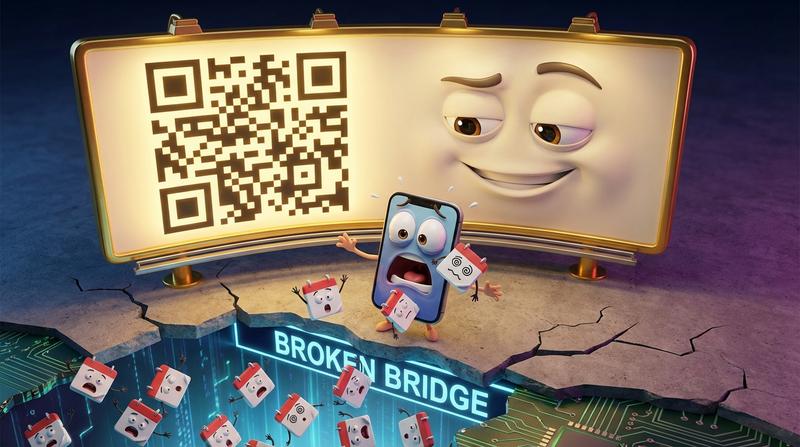
The QR Code Graveyard: What Happens After the Scan
Let's talk about what actually happens when someone scans your carefully designed QR code.
Most print-to-digital journeys end at one of these sad destinations:
- A clunky landing page that takes 8 seconds to load on mobile
- A broken link (because someone changed the URL and forgot about the 50,000 flyers already printed)
- A raw .ics file download that confuses 70% of users
- A desktop-optimized page that looks terrible on the phone they're holding
According to research from Uniqode, direct mail pieces with QR codes achieve around 1.77% engagement rates - but here's the kicker - 80% of those users actually progress to secondary conversion pages when the experience is optimized.
That means your problem isn't getting people to scan. It's everything that happens next.
The Timezone Problem Nobody Considers
You're designing a flyer in New York for a conference in Chicago. The event starts at 9 AM Central.
But what time shows up when someone in San Francisco downloads your .ics file?
If you haven't explicitly handled timezone encoding (and most people haven't), you've just created confusion. People miss sessions. They show up an hour late. They blame you.
Have you ever worked with time zones? Crazy thing. It's one of those problems that seems simple until you actually try to solve it properly.
Why Static .ics File Downloads Frustrate Mobile Users
Here's a fun experiment: try downloading a .ics file on five different phones and watch what happens.
- iPhone Safari: Sometimes opens in Calendar, sometimes just downloads a file nobody can find
- Android Chrome: Opens a "what do you want to do with this?" prompt that confuses everyone
- Samsung Internet: Different behavior than stock Android Chrome (because of course it is)
- Older iOS versions: Straight up broken in some cases
The result? Your carefully crafted event information ends up in a downloads folder, never to be seen agian.
This is why properly formatted .ics files that handle device detection automatically aren't a "nice to have" - they're essential.
The Anatomy of Print That Actually Converts
Let's flip this around. What does print-to-digital done right look like?
"Simplicity is the ultimate sophistication." - Leonardo da Vinci
This applies perfectly to QR code design. You have roughly 3 seconds from when someone notices your QR code to when they decide whether to scan it.
Designing for the 3-Second Scan Window
Your print piece needs to answer three questions instantly:
- What is this? (Event name/type)
- Why should I care? (Value proposition)
- What do I do? (Clear call-to-action)
That's it. Everything else belongs on the digital side.
Information Architecture: Physical vs. Digital
| On the Physical Piece | On the Digital Destination |
|---|---|
| Event name | Full event description |
| Date (simple format) | Timezone-aware timing |
| One compelling hook | Speaker bios, agenda details |
| QR code with "Save to Calendar" CTA | Multiple calendar options (Google, Apple, Outlook) |
| Fallback URL (short, memorable) | Location with map integration |
| RSVP functionality | |
| Social sharing options |
Stop cramming everything onto your flyer. The QR code is supposed to be a bridge, not a dead end.
QR Placement, Size, and Contrast Mistakes
I've seen some truly creative ways to kill QR scannability:
- Too small: Anything under 2cm x 2cm is risky
- Low contrast: That beautiful gradient background? Destroying your scan rates
- Bad placement: Bottom corners get folded, covered, or cut off
- Over-designed: Adding your logo to the center of the QR code looks cool but reduces error correction
- No quiet zone: QR codes need white space around them to scan reliably
Building the Bridge: From Paper to Personal Calendar
Here's the deal: the QR code itself is just the beginning.
The landing page is where conversions happen or die.
Why the Landing Page Matters More Than the QR Code
Think about it. Someone just scanned your code from a poster while walking through a conference hall. They're on their phone. They have maybe 10 seconds of attention.
What do they need?
- Instant load time (under 2 seconds)
- Mobile-first design (not mobile-"friendly" - mobile-FIRST)
- One clear action (save this event)
- Zero friction (no account creation, no app downloads)
A mobile-first landing page designed specifically for calendar saves converts dramatically better than a generic event page with a buried "add to calendar" link.
The Mobile-First Calendar Save Experience Users Expect in 2024
Users in 2024 expect:
- Automatic detection of their device type
- One-tap save to their preferred calendar app
- No downloads, no confusion, no hunting for files
- Instant confirmation that it worked
Add to Calendar PRO handles this automatically - detecting whether someone's on iOS, Android, or desktop, then routing them to the appropriate calendar experience. No guesswork. No frustration.
But there's a catch: most QR code tools completely ignore this step. They give you a QR code that links to... somewhere. What happens after? Not their problem.
Use Cases That Print Marketers Forget
Let's get specific. Here's where print-to-calendar really shines:
🎤 Conference Signage That Updates When Sessions Change
Speaker cancelled? Room changed? Session time shifted?
With dynamic calendar links, you update the event once and everyone who saved it gets the correct information. The QR code on your printed signage doesn't change - but the event details it points to can.
✉️ Direct Mail Campaigns With Personalized Event Timing
Direct mail statistics for 2024 show an average ROI of $42 for every $1 spent - with response rates twice as high as digital ads. 84% of marketers say direct mail delivers the best ROI of any channel.
But here's what most direct mail campaigns miss: personalization extends to when things happen. Regional events, timezone-specific webinars, local store openings - each recipient should get calendar-ready timing that makes sense for them.
🛍️ Retail In-Store Promos Tied to Flash Sales
That "Flash Sale Saturday" poster in your store window? What if scanning it instantly added the sale event - with a reminder 1 hour before - directly to the shopper's calendar?
Now you're not just hoping they remember. You're in their calendar. You'll ping them with a notification.
🤝 Trade Show Booths Capturing Leads via Calendar Saves
Forget the fishbowl full of business cards nobody follows up on.
A QR code that saves your post-show webinar or product demo to attendees' calendars does three things:
- Captures intent (they chose to save it)
- Creates a reminder (they won't forget you)
- Provides trackable data (you know who engaged)
Measuring What Print Alone Can't Tell You
Here's where it gets interesting.
Tracking Scans Is Easy - Calendar Saves Is the Real Metric
Any QR code generator can tell you how many scans you got. Big deal.
What you actually need to know:
- How many people saved the event to their calendar?
- Which calendar type did they use? (Google vs Apple vs Outlook)
- Did they set a reminder?
- Did they actually attend?
The ability to track calendar saves and scan attribution closes the loop between your print spend and actual results.
Attributing Offline Touchpoints to Actual Attendance
Without proper tracking, you can't answer basic questions:
- Did the billboard drive more saves than the direct mail piece?
- Which conference room had signage that actually converted?
- What's the real ROI on that $12,000 outdoor placement?
This is the analytics gap most QR tools completely ignore. They track the scan. Period. Everything after that? 🤷
Common Mistakes and How to Avoid Them
Let me save you some pain. Here's what goes wrong:
❌ Linking Directly to .ics Files
The problem: Raw .ics downloads break constantly on mobile. Users don't know what to do with the file. Android and iOS handle them differently.
The fix: Use a landing page that handles device detection and presents the right calendar option automatically.
❌ Forgetting the Fallback for Non-Scanners
The problem: Not everyone can (or wants to) scan a QR code. Older phones, accessibility needs, or simple preference.
The fix: Always include a short, memorable URL underneath your QR code. Something like events.yourbrand.com/summit24.
❌ Over-Designing the QR Code Into Oblivion
The problem: That beautiful QR code with your logo, custom colors, and rounded corners? It scans 30% less reliably than a standard one.
The fix: Keep QR codes simple. High contrast. Adequate size. If you must customize, test on at least 10 different devices before printing.
"Everything should be made as simple as possible, but not simpler." - Albert Einstein
Print Isn't Dead - Your Conversion Path Is
Let's bring this home.
That $12,000 billboard didn't fail because print marketing is dead. Print actually outperforms digital in many scenarios - with 82% of millennials trusting print advertisements and 92% making purchasing decisions based on direct mail.
The billboard failed because the path from "scan" to "saved" was broken.
The fix is simpler than redesigning your entire campaign:
- Stop linking to raw .ics files - use proper landing pages
- Design for mobile-first - that's where 90%+ of your scans happen
- Handle device detection automatically - iOS, Android, and desktop all need different treatment
- Track the right metric - calendar saves, not just QR scans
- Keep print content minimal - let the digital destination do the heavy lifting
Add to Calendar PRO handles all of this. Device detection. Calendar routing. Analytics that show actual saves. Landing pages that convert.
Your next print campaign doesn't need a bigger budget. It needs a better bridge between physical presence and digital commitment.
The technology exists. The ROI is proven. The only question is whether you'll keep watching scans disappear into the QR code graveyard - or finally connect them to calendars that drive attendance.
Print marketing works. Make sure your print-to-digital path works too. 🎯