Key Takeaways
- React controls roughly 60% of new JavaScript project starts in 2026 - yet most React registration flows skip the single most impactful post-confirmation step: getting the event onto a calendar.
- The median webinar registration-to-attendance rate sits at just 41.6%. That means nearly 6 out of 10 confirmed registrants vanish before your event begins.
- Psychology research (Gollwitzer's implementation intentions) shows that a concrete "save" action - like adding an event to a calendar - dramatically increases follow-through with a medium-to-large effect size (d = 0.65).
- Building calendar links from scratch in React is a maintenance nightmare spanning timezones, .ics quirks, and five different platform formats.
- Add to Calendar PRO offers a drop-in solution that handles all of this automatically - so your dev team ships faster and your attendees actually show up.
Here's a stat that should keep every event organizer up at night: the median live attendance rate for webinars in 2026 is 41.6%. (Source: Digital Applied, 2026 Webinar Benchmarks)
Read that again. You spend weeks promoting. You nail your landing page. Your React app handles the registration flow beautifully - smooth animations, instant confirmations, confetti if you're feeling fancy.
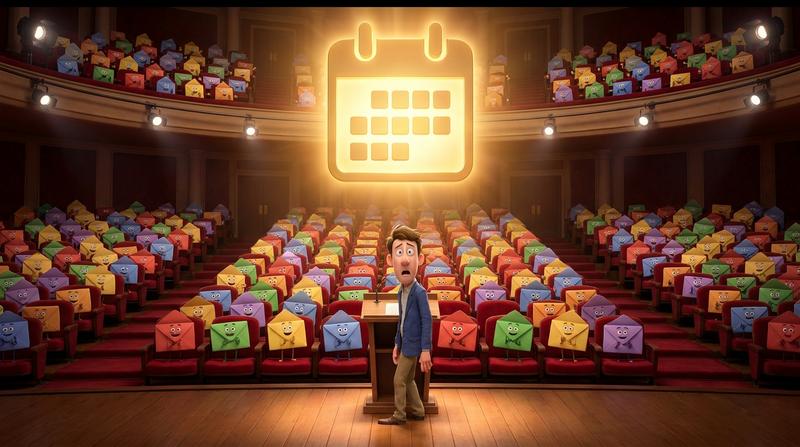
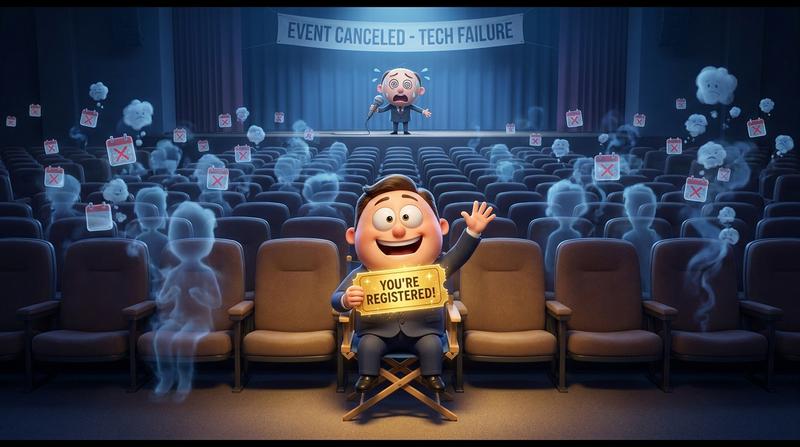
And then? Nearly 60% of those confirmed registrants... just don't show up.
The frustrating part? Your app did everything right. Almost everything.
"People don't decide their futures. They decide their habits, and their habits decide their futures." - F.M. Alexander
The habit your React app forgot to trigger? Saving the event to a calendar. That tiny, almost invisible micro-commitment is the bridge between "Yeah, I registered" and "I'm logging in right now."
Let's break down why this happens, why React apps are uniquely prone to it, and what the fix actually looks like.
💔 Why React Apps Create a Unique Commitment Gap
React dominates the frontend world. According to PkgPulse's 2026 analysis, React powers approximately 60% of new JavaScript project starts - with over 50 million npm downloads per week. If you're building a registration flow for events, there's a good chance you're building it in React.
But here's the thing nobody talks about:
React's greatest UX strength is also its biggest attendance weakness.
Single-page application flows are seamless. No page reloads. No jarring transitions. The user fills out a form, clicks "Register," and instantly sees a confirmation message - sometimes without even scrolling.
That smoothness removes the natural friction point where someone would think, "Wait, I should save this."
- No page reload means no mental "bookmark" moment.
- The confirmation screen appears so fast that users barely process it.
- Attendees leave with a confirmation number in their inbox... and nothing on their calendar.
The commitment gap between registration and attendance is real. And React's frictionless design actually makes it wider.
Peter Gollwitzer's research on implementation intentions backs this up. His meta-analysis of 94 studies found that forming a specific if-then plan ("When my calendar reminds me at 2pm on Thursday, I will join the webinar") produces a medium-to-large effect on follow-through (Cohen's d = 0.65). A calendar event is that if-then trigger. Without it, the registration is just a vague goal intention - and those fail at a remarkably high rate.
Your React app skips this step entirely. And it's costing you seats.
😓 The Real Cost of DIY Calendar Logic in React
Okay, so you need a calendar button. How hard can it be?
Famous last words.
Let's say your lead developer decides to build it in-house. "It's just a URL with some parameters, right?"
Here's where the rabbit hole opens up:
| Challenge | What It Looks Like in Practice |
|---|---|
| Google Calendar | URL-encoded query params. Dates must be in YYYYMMDDTHHmmSSZ format. |
| Apple Calendar | Requires generating a valid .ics file (RFC 5545 compliant). |
| Outlook (classic) | Different URL structure from Google. Different date format handling. |
| New Outlook | Has its own quirks with RFC 5545 compliance that break standard .ics files. |
| Timezone handling | Have you ever worked with timezones? Crazy thing. IANA timezone IDs, DST transitions, UTC offsets... it gets ugly fast. |
| Mobile behavior | iOS Safari handles .ics downloads differently than Chrome on Android. |
| Dynamic event data | React state changes mean your calendar links need to reactively update. |
What started as a "quick ticket" turns into days of development. Then weeks of edge-case fixes. Then ongoing maintenance.
The hidden costs of hand-coding add to calendar links are real. We're talking about 15-20% of the initial developmnt effort annually just to keep things from breaking - across five calendar platforms, each with their own rules.
Generating .ics blobs client-side sounds easy until timezones enter the chat. And then somebody tests it on an Outlook web app in a timezone that observes DST differently than your dev environment. Fun times. 😐
🛠️ What a Proper React Calendar Button Actually Needs to Do
If you're going to do this right, the calendar button in your React app needs to handle several things at once:
- Accept dynamic props - title, start time, end time, timezone, description, location. All of these might come from your API or React state.
- Render platform-specific links - Google Calendar, Apple Calendar, Outlook, Yahoo, and a generic
.icsdownload. Without requiring five different libraries. - Stay accessible - keyboard navigable, screen-reader friendly, proper ARIA attributes. This isn't optional.
- Work on mobile - tap targets, responsive layout, platform-aware behavior (iOS should prioritize Apple Calendar, Android should prioritize Google).
- Be brandable - it should match your existing design system. Not look like some random third-party widget from 2017.
- Handle edge cases gracefully - what happens when a user's browser blocks the
.icsdownload? What about all-day events vs. timed events?
That's a lot of requirements for something that seems like a simple button.
But here's the deal: if the button doesn't meet all of these criteria, it either looks broken, frustrates users, or - worst case - silently fails to save the event. And a failed calendar save is worse than no button at all, because the attendee thinks they saved it.
🚀 How Add to Calendar PRO Solves This for React Teams
This is where Add to Calendar PRO comes in - and I promise this isn't going to be a sales pitch. It's just... the logical answer to everything above.
Add to Calendar PRO gives your React team two clean integration paths:
- A drop-in web component that works in any React app immediately.
- An npm React Wrapper package with full TypeScript support.
Both options mean you don't rebuild calendar logic from scratch. You don't maintain timezone databases. You don't debug .ics generation on New Outlook.
Here's what happens instead:
- All calendar platforms are handled automatically - Google, Apple, Outlook (old and new), Yahoo, and
.icsdownload. - Timezone management works out of the box. IANA timezones. DST transitions. All of it.
- The button is fully customizable. Fonts, colors, layout, animations - it adapts to your design system, not the other way around.
- It's accessible and mobile-friendly by default.
Check out the React integration guide for the full setup. It's genuinely a matter of minutes, not sprints.
"Simplicity is the ultimate sophistication." - Leonardo da Vinci
Your devs get their time back. Your attendees get the event on their calendar. Everybody wins.
🧠 The Attendee Journey Argument (This Is the Strategy Part)
Let's zoom out from the technical stuff for a second.
From a marketing psychology perspective, a calendar save is not a feature. It's a conversion event.
Think about your registration funnel:
- Awareness → Someone discovers your event.
- Interest → They click through to your registration page.
- Registration → They fill out the form. 🎉
- ??? Gap ??? → This is where 58.4% of people disappear.
- Attendance → They actually show up.
That gap between steps 3 and 5? The calendar save fills it.
Gollwitzer's research makes this crystal clear: a calendar reminder functions as an implementation intention. It ties the desired behavior ("attend the webinar") to a specific environmental cue ("my phone buzzes at 1:45pm on Tuesday"). This isn't wishful thinking - it's one of the most robustly supported self-regulation strategies in psycholgy. (Source)
But placement matters. You can't just toss a calendar button in a footer and hope for the best.
The highest-conversion placement is directly on the confirmation screen - the exact moment after the user clicks "Register." That 3-second window, while motivation is highest and the event details are fresh, is your golden opportunity.
In a React app, this means rendering the calendar button as part of your confirmation component's JSX. It should appear instantly, above the fold, with zero additional user effort required.
And here's the bonus that most organizers never consider:
Analytics on who saved vs. who didn't changes how you market next time.
If Add to Calendar PRO tracks which registrants actually clicked "Add to Calendar," you can:
- Send targeted reminder emails only to those who didn't save the event.
- Correlate calendar saves with actual attendance to measure the impact.
- Optimize your confirmation screen layout based on save rates.
That's not just a button. That's a data point in your attendence strategy.
🎯 Don't Let a Missing Component Be the Reason Seats Stay Empty
Your React registration flow is already doing the hard work. You've built the landing page, integrated payment or RSVP logic, designed the UX, connected your email service.
All of that effort funnels toward one goal: getting people to show up.
And right now, there's a gap at the most critical moment - the confirmation screen - where a single, well-integrated calendar button could turn a passive registrant into a committed attendee.
The data supports it (41.6% median attendance without intervention). The psychology supports it (implementation intentions, d = 0.65). And the technical solution exists (Add to Calendar PRO, purpose-built for exactly this).
You don't need to hand-code calendar links across five platforms. You don't need to spend sprints on timezone logic. You need one component, placed at the right moment, doing the right thing.
Close the gap between confirmed and present. Your event - and your attendees - will thank you. 🚀