
📌 Key Takeaways
- Registrations ≠ attendance. The average webinar converts only 57% of registrants to attendees - meaning nearly half your signups ghost you.
- The gap between "I signed up" and "I showed up" is a well-documented psychological phenomenon called the intention-action gap.
- A calendar email link is the single most underused tool for turning passive registrants into committed attendees.
- Micro-commitments - like saving an event to a personal calendar - create accountability loops that dramatically boost follow-through.
- Most confirmation emails bury or break their calendar links, leaving attendance to chance.
You ran the campaign. You A/B tested the landing page. You watched registrations climb past your target and thought, we nailed it.
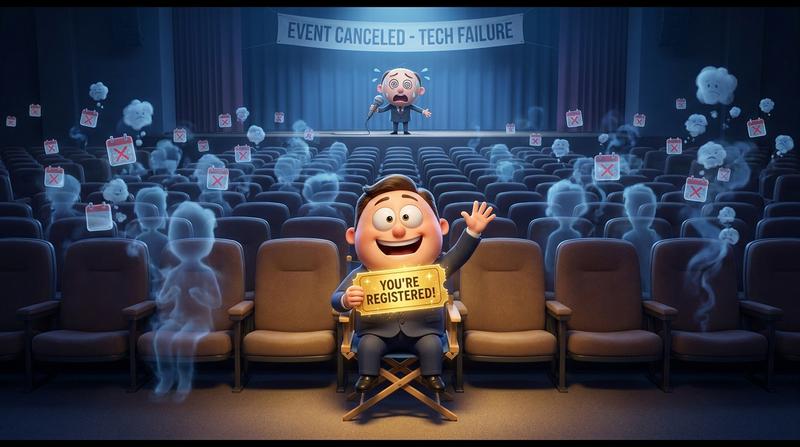
Then event day arrived. Half the seats were empty.
Sound familiar? You're not alone. And here's what stings the most: the problem wasn't your marketing. Your ads worked. Your copy converted. People wanted to come.
They just... didn't.
The culprit? The massive, expensive gap between "I signed up" and "I actually showed up." And the bridge most organizers skip entirely is embarrassingly simple: a calendar email link.
Let's break down why this tiny piece of your confirmation flow has an outsized impact on your event ROI - and how to fix it.
1. 🎭 Why Registrations Are a Terrible Proxy for Attendance
Let's get uncomfortable for a second.
Registrations feel good. They're countable. They look great in reports. But they are a terrible predictor of who's actually going to show up.
According to ON24's 2025 Webinar Benchmarks Report, the average webinar converts only 57% of registrants into attendees. That means for every 100 people who fill out your form, 43 vanish into thin air.
Why?
It comes down to something psychologists call the intention-action gap. Signing up for an event is an intention. Showing up is an action. And between those two things lies a canyon of forgotten emails, busy schedules, and the most expensive lie in event marketing:
"I'll remember."
No, they won't.
Here's the deal: a registrant is not the same as a committed attendee. A registrant clicked a button during a moment of interest. A committed attendee has blocked time on their calendar, mentally allocated energy, and made a plan. The difference between these two people is the difference between a calendar email link clicked and one ignored.
If you want to understand this gap in depth, we've written about the commitment gap between registration and attendance - it's worth a read.
2. 🧠 What a Calendar Email Link Actually Does to the Brain
This isn't just about logistics. It's about psychology.
When someone saves your event to their personal calendar, they're not performing an administrative task. They're making a micro-commitment. And micro-commitments are ridiculously powerful.
A landmark 2024 meta-analysis by Sheeran, Listrom, and Gollwitzer - analyzing 642 independent tests - confirmed that forming "implementation intentions" (essentially, deciding when and where you'll do something) significantly boosts follow-through, with effect sizes ranging from d = 0.27 to d = 0.66. That's not a marginal improvement. That's a behavioral shift.
And what does saving an event to your calendar do? It creates an implementation intention. It says: "On Thursday at 2pm, I will be at this event."
As the great Peter Drucker once said:
"What gets measured gets managed."
Well, in the world of attendee behavior: what gets calendared gets attended.
That 3-second action - clicking "Add to Calendar" - creates an accountability loop:
- The save itself = a micro-commitment ("I intend to go")
- The calendar reminder = an environmental trigger ("Oh right, that's today")
- The blocked time slot = social proof to oneself ("I already set aside time for this")
This shifts a person from passive registrant to invested participant. And it all starts with a calendar email link that actually works.
3. 💔 Where Most Confirmation Emails Go Wrong
So if calendar saves are this powerful, why aren't more organizers nailing it?
Because most confirmation emails are a disaster.
Let's be honest. Here's what the typical confirmation email looks like:
- A wall of text nobody reads (event details, venue info, parking instructions, sponsor logos, legal disclaimers - all crammed into one scroll-fest)
- Buried CTAs that require an archaeological dig to find
- A tiny "Add to Calendar" link stuffed in the footer, below the unsubscribe button
- An
.icsfile that only works on 60% of devices - and breaks silently on the rest
Here's the thing: email open rates are strong for transactional emails - shipping confirmations hit 62.67% open rates according to Omnisend's 2025 benchmarks. Your confirmation email is getting opened. People are looking at it.
But they're not clicking the calendar link because:
- They can't find it
- It looks broken or untrustworthy
- It only supports one calendar platform (sorry, not everyone uses Google Calendar)
- The file downloads instead of opening seamlessly
And "any link" isn't good enough. A broken calendar experience is worse than no calendar link at all - because it teaches the user that your event is disorganized before they even arrive. We've covered why this matters technically in our deep dive on calendar email links that actually work.
4. ✅ What a High-Converting Confirmation Email Actually Looks Like
Alright, enough about what's broken. Let's talk about what works.
A confirmation email that drives calendar saves follows a clear anatomy:
| Element | ❌ What Most Do | ✅ What Works |
|---|---|---|
| Layout | Wall of text, 800+ words | Short, scannable, under 300 words |
| Calendar CTA placement | Footer or buried mid-email | Above the fold, visually prominent |
| CTA copy | "Add to Calendar" (generic) | "Save your spot" or "Lock this in" (action-oriented) |
| Calendar support | Single .ics download | All major platforms (Google, Apple, Outlook, Yahoo) |
| Design | Text link, no visual weight | Button with calendar icon, contrasting color |
| Mobile experience | Broken or clunky | Seamless, auto-detects device/platform |
| Event updates | Static - if details change, too bad | Dynamic - pushes updates to saved calendars |
The key principles:
- Put the calendar CTA in the top third of the email. Before the logistics. Before the agenda. Before everything else. The single most important action you want from this email is the calendar save.
- Use action-oriented button copy. "Save your spot" outperforms "Add to Calendar" because it implies scarcity and commitment.
- Support every major calendar platform without cluttering the email. Nobody wants to see five different buttons for five different calendars. One smart link that auto-detects? That's the move.
- Make it mobile-first. More than half your recipients will open this on their phone. If the calendar link downloads a weird file instead of opening their native calendar app, you've lost them.
As Maya Angelou put it:
"People will forget what you said, people will forget what you did, but people will never forget how you made them feel."
A seamless calendar save makes someone feel organized, committed, and cared for. A broken one makes them feel annoyed. Guess which person shows up on event day?
5. 🛠️ How Add to Calendar PRO Closes the Gap
Ok so here's where theory meets practice.
Building calendar links that work across every email client, every calendar platform, every device, and every timezone is... let's just say it's not as easy as breathing. (If you've ever tried to generate a correct .ics file that handles daylight saving time across three continents, you know exactly what I mean. 😓)
This is where Add to Calendar PRO comes in.
Here's what it actually solves:
- One link, every platform, zero maintenance. A single calendar email link that auto-detects whether the user is on Google Calendar, Apple Calendar, Outlook, Yahoo - and routes them accordingly. No five-button clutter. No broken downloads.
- Dynamic event updates. Changed the venue? Moved the time? Add to Calendar PRO pushes updates directly to calendars that already saved the event. No "please re-register" emails. No confusion on event day.
- Real tracking. Not just "someone clicked the link." You can see who saved, which platform they used, and start building a realistic picture of who's actually coming vs. who just signed up.
For webinar organizers specifically, we've written a detailed guide on webinar confirmation emails that actually sync events to calendars - including where to place prompts in your confirmation flow for maximum saves.
The downside? Well, it means acknowledging that your current confirmation email probably isn't doing its job. But hey, that's why your here. (And honestly, the setup takes minutes, not days.)
🎯 The Bottom Line
Your next event doesn't have a registration problem.
It has a commitment problem.
And the simplest fix - the one sitting right there in your confirmation email, waiting to be optimized - is a calendar email link that actually works, looks professional, supports every platform, and turns a passive "yeah maybe" into a scheduled, reminded, accountable "I'll be there."
Stop celebrating registration numbers. Start measuring calendar saves.
Because the people who save are the people who show up. And the people who show up? They're the ones who make your event worth running.
Ready to close the gap between signup and showup? Add to Calendar PRO gives you one link, every calendar, real tracking, and dynamic updates - so your confirmation emails finaly do the one job that actually matters. 🚀