Key Takeaways
- The average webinar converts only 57% of registrants to attendees - meaning nearly half your sign-ups ghost you before showtime.
- The intention-action gap is a well-documented psychological phenomenon: people genuinely intend to attend, but without a concrete anchor, they forget or lose motivation.
- A calendar save acts as an implementation intention - a specific if-then commitment that research shows increases goal follow-through with a medium-to-large effect size (d = 0.65).
- Most webinar platforms skip the calendar step entirely, and DIY calendar links break more often than you'd think (timezones, ICS formatting, email client stripping).
- Placing an "Add to Calendar" prompt at the confirmation moment - on the thank-you page and inside the confirmation email - is the highest-leverage fix for your no-show problem.
You spent weeks promoting that webinar. You wrote the landing page. You ran the ads. You sent the email sequence. Registration numbers climbed and your Slack channel lit up with 🎉 emojis.
Then the day arrived. And half the registrants... just didn't show up.
Sound familiar?
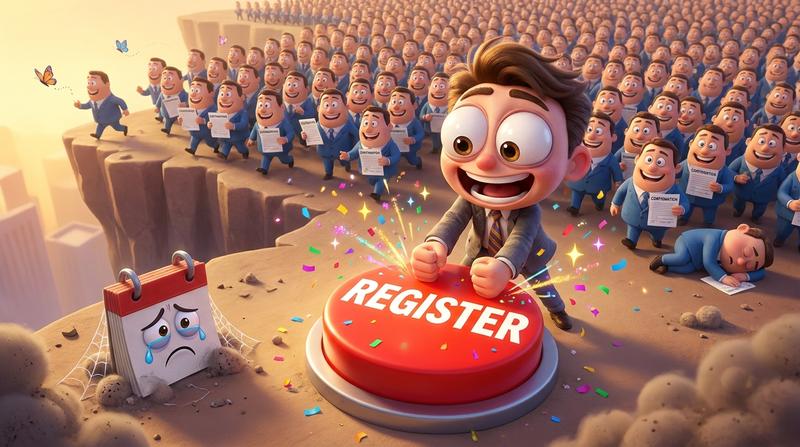
Here's the thing most marketers miss: the gap isn't in your promotion. It's in what happens in the 90 seconds after someone clicks "Register."
That tiny window - the confirmation moment - is where attendance is won or lost. And right now, you're probably wasting it.
Let's break down why. And more importantly, let's fix it.
1. Why Webinar Registrants Ghost You 👻
Let's start with a number that should make every event marketer uncomfortable.
According to ON24's 2025 Digital Engagement Benchmarks Report, the average registrant-to-attendee conversion rate for webinars is 57%. That means for every 1,000 registrants, roughly 430 people vanish into thin air.
These aren't cold leads. These are people who actively signed up. They gave you their email. They expressed genuine interest. So what happened?
It's called the intention-action gap, and it's one of the most studied phenomena in behavioral psychology.
Here's the plain-English version:
- Someone registers for your webinar on a Tuesday.
- They fully intend to attend on Thursday.
- But between Tuesday and Thursday, life happens. Meetings pile up. Inboxes overflow. And that webinar? It fades from memory.
Research on the Ebbinghaus forgetting curve shows that people retain only about 33% of new information after 24 hours. Your webinar registration confirmation? It's basically a post-it note that fell behind the desk.
And that confirmation email sitting in their inbox? Let's be honest - it's buried under 47 other emails by lunchtime.
"People often fail not because they lack motivation, but because they fail to manage the self-regulatory challenges during goal striving." - Gollwitzer & Sheeran, 2006
The intention was real. The follow-through mechanism was missing.
2. What "Confirmation" Actually Needs to Do 💡
Most webinar platforms treat the confirmation moment like a receipt. "Thanks for registering! Here's your link. See you there."
That's a massive missed opportunity.
A proper post-registration moment has three jobs:
| Job | What It Does | What Most Platforms Deliver |
|---|---|---|
| 1. Confirm | Reassure the registrant their spot is secured | ✅ A basic "you're in" message |
| 2. Commit | Create a micro-commitment that increases follow-through | ❌ Nothing |
| 3. Anchor | Place the event in a system the person actually checks daily | ❌ Nothing |
See the problem? Two out of three jobs are completely ignored.
This is where understanding the commitment gap between registration and attendance becomes critical. A registration is a passive action. It costs the person almost nothing - a few clicks and an email address. There's no skin in the game.
But a calendar save? That's different.
When someone adds your event to their personal calendar, they're performing what psychologist Peter Gollwitzer calls an implementation intention - a specific if-then plan that links a situation to an action. His landmark meta-analysis across 94 studies with 8,000+ participants found that implementation intentions produce a medium-to-large effect (d = 0.65) on goal achievement.
In human terms: when someone decides when and where they'll do something ("Thursday at 2pm, I'll join this webinar"), they're dramatically more likely to actually do it.
A single "Add to Calendar" prompt transforms your passive registrant into someone with a scheduled commitment. It's the difference between "I should go to the gym" and having a recurring alarm set for 6am.
3. The Technical Mess Hiding Inside Calendar Sync 😓
Okay, so you're convinced. Calendar saves matter. You'll just toss a Google Calendar link into your confirmation email and call it a day.
Not so fast.
Here's the deal: linking to Google Calendar is not the same as true calendar sync. And the gap between those two things is where attendance quietly dies.
Let's look at what can go wrong:
- Google Calendar links only work for... Google Calendar users. Your Outlook users? Apple Calendar fans? They're left clicking a link that opens a confusing interface they don't use.
- ICS files sound great in theory. They're the universal calendar format! But in practice, they're static snapshots. If you change the webinar time or Zoom link, that ICS file your registrant downloaded last week? It's now wrong. And they have no idea.
- Email clients are hostile territory. Gmail strips JavaScript. Outlook mangles CSS. Apple Mail behaves... let's say creatively. That beautiful calendar button you designed? There's a solid chance it silently kills your event attendance across half your audience.
And then there's the big one.
⏰ Timezones: The Silent Killer
Have you ever worked with timezones programatically? It's... a nightmare.
Your registrant is in Tokyo. Your webinar runs on Eastern Time. Their calendar app interprets the ICS file in UTC. Daylight Saving Time just shifted in the US but not in Japan. The result? They show up an hour late - or an hour early - or not at all.
These timezone bugs that silently break calendar integrations are far more common than most organizers realize. And the worst part? You'll never know it happened. The registrant just... doesn't show up. And you assume they lost interest.
They didn't lose interest. Your calendar link lost their timezone.
4. What Good Calendar Sync for Webinar Registration Confirmation Actually Looks Like 🛠️
So if hand-rolled ICS files and bare Google Calendar links are unreliable, what does a proper solution look like?
Here's the checklist:
- Real-time event data - The calendar entry should pull from a single source of truth. If you update the time or meeting link, every saved calendar event should reflect that change.
- One button, every platform - Google Calendar, Apple Calendar, Outlook, Yahoo, and more. The attendee picks their platform; the system handles the rest. Zero friction.
- Automatic timezone conversion - The event displays in the registrant's local time, correctly handling DST transitions, UTC offsets, and all the edge cases that make developers cry.
- Dynamic personalization - The calendar event includes the attendee's name, the correct session link, relevant details - not a generic placeholder.
This is exactly the kind of problem Add to Calendar PRO was built to solve.
It takes the dynamic data from your registration flow - the webinar title, date, time, timezone, join link, description - and generates a single, universal "Add to Calendar" button that works across every major calendar platform. The attendee clicks once. The event lands in their calendar. Correctly. In their timezone. With the right link.
No ICS file to download and hope it works. No "Google Calendar only" limitation. No hand-rolled code that breaks when Microsoft pushes an Outlook update enforcing RFC 5545 compliance (yes, that happened in 2025).
And if your webinar details change? The saved event updates automatically. Because static calendar entries are almost as bad as no calendar entry at all.
"Make it easy to do the right thing, and hard to do the wrong thing." - Richard Thaler
5. Where to Put the Calendar Prompt in Your Confirmation Flow 🚀
You've got the tool. Now the question is: where does it go?
The answer: everywhere the registrant's attention is already on your event. But the order and placement matter more than you think.
📍 The Confirmation Page (Highest Intent Moment)
This is gold. Right after someone clicks "Register," they land on your thank-you page. Their attention is 100% on your event. Their intent is at its absolute peak.
And what do most thank-you pages say? "Thanks! Check your email."
That's like handing someone a coupon and then immediately asking them to go look in a different room for it.
Put the Add to Calendar button front and center on your confirmation page. This is the single highest-conversion placement you have. Don't waste it.
📧 The Confirmation Email
Yes, the email matters too - but it's your second chance, not your first. Some people will close the thank-you page before saving the event. The confirmation email catches them.
But remeber: email clients are hostile to interactive elements. You need a calendar solution that generates links which actually work inside Gmail, Outlook, and Apple Mail without relying on JavaScript or fancy rendering.
🔁 The Reminder Sequence
Here's where order matters:
- Reminder 1 (3-7 days before): Include the calendar prompt again. Some registrants meant to save it and forgot. (Remember - 33% retention after 24 hours.)
- Reminder 2 (day before): Focus on excitement and last-minute details. The calendar save should already be done by now.
- Reminder 3 (day of): Direct link to join. This is your safety net.
The key insight: your first two touchpoints (confirmation page + confirmation email) should prioritize the calendar save above almost everything else. Because once the event is on their calendar, your reminder emails become reinforcements - not the only lifeline keeping attendance alive.
The 3-Second Fix Between "Registered" and "Attended" ✅
Let's bring it home.
The intention-action gap is real, well-documented, and costing you nearly half your registrants. But it's not unsolvable.
The fix isn't another email sequence. It's not a fancier landing page. It's not even better webinar content (though that helps too).
The fix is a calendar save.
It takes 3 seconds. It creates a psychological micro-commitment. It places your event inside the one system your attendee actually checks every single day. And it transforms a vague "I'll try to make it" into a scheduled, anchored, time-blocked intention.
With Add to Calendar PRO, that 3-second moment works across every calendar platform, handles timezone logic automatically, updates dynamically when details change, and survives the rendering chaos of every major email client.
Stop treating your confirmation moment like a receipt.
Start treating it like the conversion it actually is.
Becuase the gap between "registered" and "attended" isn't a marketing problem. It's a commitment problem. And the calendar is your commitment device.
Ready to close the gap? Add to Calendar PRO turns your confirmation flow into an attendance engine - one button, every calendar, zero friction.