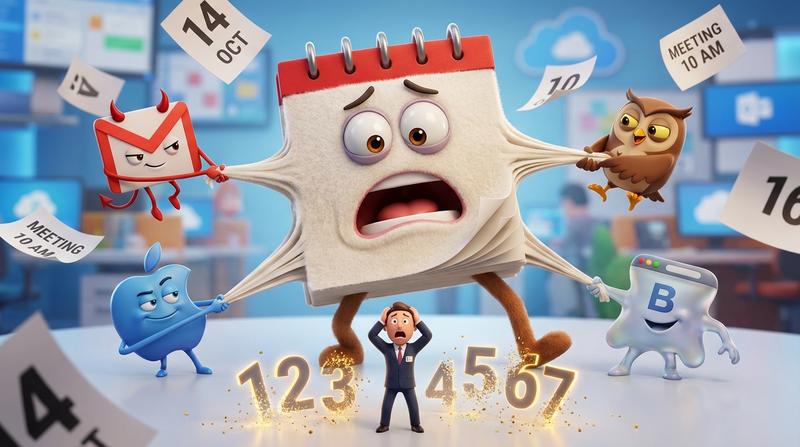
You craft the perfect event email. The copy sings. The design pops. You hit send to 10,000 subscribers, watch the clicks roll in... and then 60% of registrants simply don't show up.
Sound familiar?
Here's the kicker: The problem isn't your subject line. It's not your timing. It's not even your audience.
It's your broken calendar links.
📌 Key Takeaways
- Free events see 40-60% no-show rates - and broken calendar links are a silent contributor
- Email clients (Gmail, Outlook, Apple Mail) handle links differently, causing widespread compatibility failures
- .ics file downloads and JavaScript buttons simply don't work reliably inside emails
- Calendar saves can increase attendance by 30-40% - but only if the link actually works
- Hosted solutions beat DIY code every time for email calendar integration
- Tracking calendar saves (not just clicks) is the metric that actually predicts attendance
💔 The Problem: Email Clients Are Hostile Territory
Let's get something straight. Email clients hate you.
Okay, maybe "hate" is strong. But they definitely don't trust you. And that distrust translates into some seriously restrictive behavior when it comes to rendering your carefully crafted HTML.
Gmail strips JavaScript. Outlook mangles your CSS. Apple Mail does its own mysterious thing. And that add to calendar link you tested in your browser? It breaks spectacularly the moment it hits a real inbox.
As Bill Gates once said: "The first rule of any technology used in a business is that automation applied to an efficient operation will magnify the efficiency. The second is that automation applied to an inefficient operation will magnify the inefficiency."
Your email calendar links are magnifying inefficiency. Big time.
Here's what typically goes wrong:
- .ics file downloads that confuse users ("What do I do with this file?")
- JavaScript-powered buttons that render as dead links in email clients
- Direct calendar URLs that only work for one calendar provider
- The "it worked in preview" trap that catches every marketer at least once
I've been there. You preview your email in Mailchimp or HubSpot, click the button, and boom - it works perfectly. You send it with confidence.
Then the support tickets start rolling in.
"Your calendar link is broken." "I clicked it but nothing happened." "It downloaded a weird file and I don't know what to do."
The worst part? These frustrated users don't complain. They just... don't show up.
If you've ever wondered why building a calendar button that actually works is so hard, you're not alone. The technical constraints of email clients make it nearly impossible with traditional approaches.
📊 The Real Cost of Broken Calendar Integration
Let's talk numbers. Because this problem is costing you more than you think.
According to event industry research, free in-person events experience no-show rates between 40-60%. Webinars? Even worse - 35-50% of registrants never attend.
But here's what the data also shows: When people actually save an event to their calendar, attendance jumps by 30-40%.
Think about that gap for a second.
Your CTR might look healthy. People are clicking your calendar buttons. But if those clicks lead to:
- A confusing file download
- A broken link
- An error message
- A redirect that doesn't work on their device
...then you're losing them at the exact moment they're most interested.
The Psychology Gap
There's a massive difference between an "interested click" and a "calendar commitment."
Clicking takes 0.5 seconds of intention. Adding something to your calendar? That's a psychological contract. It's saying, "I'm blocking this time. I intend to be there."
When your calendar integration fails, you lose that commitment moment. And you can't get it back.
| Metric | What It Measures | Predictive Value for Attendance |
|---|---|---|
| Email Open Rate | Subject line effectiveness | Low |
| Click-Through Rate | Interest in event | Medium |
| Calendar Save Rate | Actual commitment | High |
| Attendance Rate | Real outcome | Definitive |
The problem? Most Mailchimp and HubSpot users aren't even tracking calendar saves. They see healthy CTR numbers and assume everything is fine.
Meanwhile, their calendar link generator is failing silently.
🛠️ What Actually Works Inside Email Clients
So what's the solution?
First, let's understand the technical constraints. Email clients enforce strict rules:
- No JavaScript execution - your fancy button scripts are dead on arrival
- Limited HTML/CSS support - especially in Outlook
- Aggressive link rewriting - tracking pixels and redirects add complexity
- Varied handling of downloads - some clients block .ics files entirely
This is why DIY solutions almost always fail. You might get it working in Gmail, only to discover it's broken in Outlook. Fix Outlook, break Apple Mail. It's whack-a-mole with your most important conversion moment.
The Difference Between Landing Pages and Emails
On your website, you have full control. JavaScript works. You can detect the user's calendar preference. You can handle edge cases gracefully.
In email? You have almost none of that control.
This is why email calendar links that actually work require a different approach. You need a middleman - a hosted solution that sits between your email link and the user's calendar.
Why Hosted Solutions Win
The smart redirect approach works like this:
- Your email contains a simple, universal link (no JavaScript, no downloads)
- User clicks and lands on a hosted page
- The page detects their device and calendar preference
- It generates the correct calendar format on the fly
- Event is added seamlessly
No confusion. No broken experiences. No "what's this .ics file?" moments.
This is exactly the approach we took when building Add to Calendar PRO. We got tired of watching marketers lose attendees to technical failures that weren't their fault.
🚀 The Add to Calendar PRO Approach
Here's how we solved the email client compatibility nightmare.
Add to Calendar PRO generates a single, universal link. That link works in every email client, on every device, with every calendar provider.
When someone clicks:
- Google Calendar users get a direct Google Calendar add
- Outlook users get a native Outlook experience
- Apple Calendar users see their preferred option
- Mobile users get a mobile-optimized flow
No downloads. No confusion. No broken experiences.
And here's the part that really matters for your event email marketing strategy: real-time analytics.
You can actually see who saved your event. Not just who clicked - who committed. That data is gold for predicting attendance and following up with non-savers.
| Old Way | Add to Calendar PRO Way |
|---|---|
| .ics file downloads | Universal smart links |
| JavaScript buttons (broken in email) | Email-safe redirects |
| Single calendar provider support | All major calendars detected automatically |
| No tracking | Real-time save analytics |
| DIY maintenance headaches | Hosted and maintained for you |
📈 Measuring What Matters
As Peter Drucker said: "What gets measured gets managed."
Most email marketers stop at open rates and CTR. But those metrics don't predict attendance. They predict interest at best.
Here's what you should actually track:
The Metrics That Matter
- Calendar save rate - What percentage of clickers actually added the event?
- Save-to-attendance ratio - How well do saves predict actual attendance?
- Calendar provider breakdown - Which calendars are your audience using?
- Device split - Mobile vs. desktop calendar adds
- Time-to-save - How quickly after opening do people commit?
A/B Testing Your Calendar CTAs
Once you have reliable tracking, you can optimize:
- Button placement (above fold vs. end of email)
- CTA copy ("Add to Calendar" vs. "Save Your Spot" vs. "Don't Forget")
- Button design (color, size, prominence)
- Number of calendar CTAs per email
Small improvements compound. A 10% increase in calendar saves can translate to dozens more attendees per event.
Proving ROI to Stakeholders
Here's a simple framework:
- Calculate your average revenue/value per attendee
- Track baseline attendance rate
- Implement proper calendar integration
- Measure new attendance rate
- Calculate incremental value
If you're running regular webinars or events, even a modest attendance improvement pays for itself many times over.
✅ Your Quick Implementation Checklist
Ready to stop losing attendees between inbox and calendar? Here's your action plan:
- Audit your current calendar links - Test them in Gmail, Outlook, and Apple Mail (on both desktop and mobile)
- Identify failure points - Where are people dropping off?
- Switch to a hosted solution - DIY code isn't worth the maintenace nightmare
- Implement universal links - One link that works everywhere
- Set up save tracking - Start measuring what actually matters
- A/B test your CTAs - Optimize placement and copy
- Monitor attendance correlation - Prove the ROI
🎯 The Compound Effect
Here's the thing about fixing your calendar links: it's a one-time fix with compounding benefits.
Every email you send from now on works better. Every event gets more attendees. Every webinar has lower no-show rates.
And unlike most marketing optimizations, this one doesn't require ongoing effort. Set it up once, and it keeps working.
Your subscribers are already clicking. They're already interested. They want to attend your events.
Stop losing them to broken technology.
Because at the end of the day, the difference between a "successful" email campaign and an actually successful event isn't your subject line or your send time.
It's whether people can actually save your event to their calendar - and show up.
Ready to fix your email calendar links for good? Add to Calendar PRO makes it stupidly simple. One link. Every calendar. Real analytics. And emails that finally convert clicks into confirmed attendees.