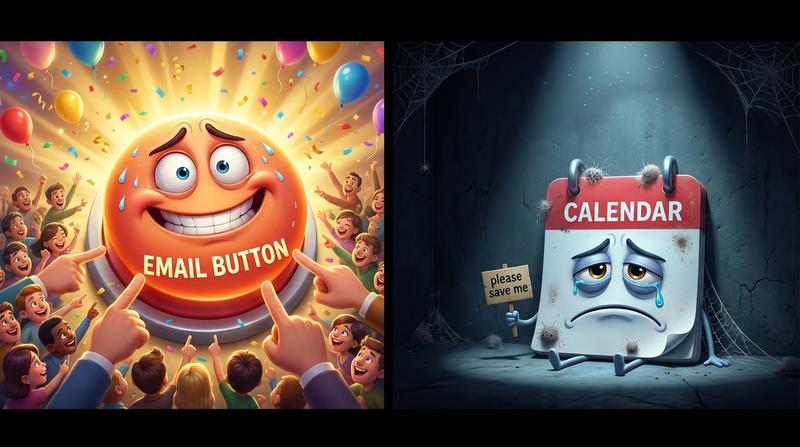
You built a 12-week course. You confirmed 300 students. And still - half the cohort missed week 4.
Not because they lost interest. Not because the content was bad. But because your schedule never actually made it to their calendar.
Welcome to the spreadsheet-to-no-show pipeline nobody talks about.
📋 Key Takeaways
- Static spreadsheets and confirmation emails are not calendar commitments - and the data proves it.
- Roughly 43% of webinar registrants never show up, even after confirming (ON24 2025 Benchmarks).
- Cohort-based courses achieve 90%+ completion rates - but only when students actually attend sessions (Learnopoly 2025).
- Managing recurring dates, timezones, and multi-session series manually costs 25-40 admin hours per cohort.
- Dynamic calendar automation turns every enrollment into a real, synced calendar commitment - across every timezone, every device, automatically.
📉 Section 1: Why Static Schedules Break at Scale
Let's be honest. When you ran your first cohort of 20 people, that Google Sheet with dates and Zoom links worked fine. You could even send personal reminder DMs.
But here's the deal: a one-time event and a recurring 12-session series are fundamentally different beasts - and most tools treat them exactly the same.
A single webinar? One date, one link, one reminder. Done.
A semester-long course with weekly sessions across three timezones? That's a completely different animal.
What "managing a cohort" actually looks like when you're doing it manually:
- Copying and pasting dates into spreadsheets (and praying you don't typo March into May)
- Sending separate calendar invites for each session - or worse, one giant invite that students can't parse
- Fielding "wait, is that 2pm YOUR time or MY time?" emails every single week
- Updating the schedule when a guest speaker reschedules - and hoping everyone sees the change
- Re-sending everything when half your students realize they saved the wrong date
And then there's the timezone nightmare.
Have you ever worked with time zones? Crazy thing. A course that runs Tuesdays at 10am EST is suddenly Monday night for your students in Auckland and mid-afternoon for your folks in Berlin. You can put "10am EST" in bold red font on your spreadsheet all you want - someone will still show up at the wrong time.
Research from Frontiers in Education (2023) found that students consistently schedule academic activities around personal and professional obligations rather than traditional hours. The study highlights "time poverty" as a real barrier - students simply don't have bandwidth to manually translate your schedule into their own calendar context.
So your beautifully formatted spreadsheet? It's basically a PDF of good intentions.
💸 Section 2: The Real Cost of Manual Calendar Coordination
Let's talk about what this actually costs you. Not just in frustration - in real, measurable damage.
The no-show problem is worse than you think. According to ON24's 2025 Webinar Benchmarks Report, the average registrant-to-attendee conversion rate for webinars is just 57%. That means 43% of people who said "yes, I'm in" simply... don't show up.
Forty-three percent. Nearly half.
And that's for single webinars. For multi-session courses, the drop-off compounds with every passing week.
"What gets scheduled gets done." - Michael Hyatt
Here's what the gap between "registered" and "actually on their calendar" looks like in practice:
| What You Think Happened | What Actually Happened |
|---|---|
| Student registered ✅ | Student filled out a form |
| Confirmation email sent ✅ | Email landed in Promotions tab (or spam) |
| Schedule attached as PDF ✅ | PDF was never opened |
| Student will attend Week 1 ✅ | Student forgot by Thursday |
| Student will attend Week 4 ✅ | Student has no idea Week 4 exists |
A confirmation email is not a calendar commitment. It's a receipt.
And yet - most course creators, university program managers, and webinar hosts treat email confirmation as the finish line. It's not. It's barely the starting line.
The downstream effects?
- Missed sessions → students fall behind → they disengage entirely
- Support tickets pile up ("Can you resend the link?" "What time is it in CET?")
- Angry reply-all emails when a session gets rescheduled and half the cohort didn't get the memo
- Lower completion rates → worse testimonials → fewer future enrollments
This is particularly painful because cohort-based courses can achieve 90%+ completion rates - with the altMBA hitting 96% and Esme Learning reporting 98-100%. But those numbers depend on students actually being there. The model works. The scheduling infrastructure around it? That's what's broken.
The cohort calendar chaos nobody warns you about is real - and it gets exponentially worse with every additional cohort you run.
🔁 Section 3: What Dynamic Event Scheduling with Recurring Dates Actually Means
Okay, so static schedules break. But what's the alternative?
Let's define some terms, because they matter more than you'd think:
- Single-event: One date, one time, one occurrence. Your typical webinar or guest lecture.
- Recurring event: The same event repeating on a pattern (e.g., every Tuesday at 2pm for 12 weeks). One "rule" generates all the dates.
- Multi-date event: A series of related but distinct sessions, potentially on different days, different times, with different topics. Think: a bootcamp where Week 1 is Monday, Week 2 is Wednesday, and Week 5 has two sessions.
Most calendar tools - and most course platforms - only handle single events well. Some handle basic recurrence. Almost none handle true multi-date series where each session has its own title, description, and potentially different time.
Now multiply that by 10 simultaneous cohorts.
Suddenly you're managing hundreds of unique calendar entries. Manually. In a spreadsheet. With copy-paste as your primary automation tool.
"The first rule of any technology used in a business is that automation applied to an efficient operation will magnify the efficiency." - Bill Gates
Dynamic scheduling means your calendar entries are generated, distributed, and updated programatically - not manually.
Here's what that looks like in practice:
- You define your course schedule once (dates, times, session titles)
- A system generates calendar-compatible links or files automatically
- Students click one button and get every session added to their personal calendar
- If you change a date, the update propagates to everyone's calendar - no email blast required
- Timezone conversion happens automatically based on each student's location
This is where API-driven calendar link generation changes everything. Instead of manually creating .ics files or Google Calendar links for each session, an API call generates the correct, timezone-localized, multi-session calendar entry on the fly.
You define the schedule. The system does the rest.
🛠️ Section 4: How Add to Calendar PRO Handles This
So how does this actually work in practice? Let me walk you through it.
Add to Calendar PRO was built for exactly this kind of complexity - multi-date, multi-timezone, high-volume event scheduling that needs to just work.
Here's what it brings to the table:
📅 Multi-Date and Recurring Event Setup (Without Manual Rebuilding)
You set up your course series once. Whether it's a strict recurring pattern (every Wednesday at 3pm) or an irregular multi-date series (different days, different times), Add to Calendar PRO generates a single shareable calendar action that contains all sessions.
No more creating 12 separate calendar events. No more spreadsheet gymnastics.
✅ RSVP with Double-Opt-In
Here's where it gets really interesting. Add to Calendar PRO's RSVP management with Double-Opt-In turns a soft "registration" into a hard calendar commitment.
Students confirm via Double-Opt-In (which is also GDPR-compliant, by the way 🇪🇺), and the calendar event gets pushed to their device. The enrollment isn't just a database entry anymore - it's a block on their Tuesday afternoon.
That's the difference between "registered" and "committed."
🌍 One Link, Every Session, Every Timezone - Automatically
You share one link. A student in Chicago sees sessions in CST. A student in Mumbai sees them in IST. A student in London sees GMT/BST.
No timezone tables. No "please convert to your local time" disclaimers. It just works.
🔗 Embedding Inside LMS Confirmations and Email Automations
Add to Calendar PRO buttons can be embedded directly into:
- Your LMS enrollment confirmation page
- Your Teachable / Thinkific / Kajabi thank-you emails
- Your Mailchimp or ConvertKit welcome sequences
- Your custom platform via the API
The calendar button lives where the student already is - right at the moment of highest intent. No extra clicks, no extra steps.
If you want to see the full picture of how to automate cohort calendars for courses and universities at scale, the implementation takes about 15 minutes and can save 15-20 hours per semester.
That's not a typo. Fifteen minutes of setup. Twenty hours saved.
👥 Section 5: Who Actually Needs This?
Not everyone needs dynamic calendar automation. If you're running a single one-off webinar for 15 people, a manual Google Calendar invite works fine.
But if you're any of the following? You probbaly need this yesterday.
🎓 Course Creators Scaling Past Their First Cohort
Your first cohort was managable. You knew everyone by name. You could DM reminders.
Cohort #3 with 200 students across 6 timezones? That spreadsheet is now a liability.
🏛️ University Program Managers Juggling Semester Schedules
You're managing multiple programs, each with their own session cadence, guest lectures, office hours, and exam dates. Students are already overwhelmed. The last thing they need is to manually input 40 calendar entries from a PDF syllabus.
🎙️ Webinar Hosts Running Weekly Recurring Sessions
You host a weekly industry webinar. Every week, you send a registration link. Every week, 43% don't show up. Every week, you wonder why.
The answer is almost always the same: the event never made it to their calender.
🏁 Conclusion: The Calendar Is the Commitment
Let's bring this home.
Dynamic scheduling isn't a "nice-to-have" once your volume grows. It's the difference between a thriving cohort and a ghost town.
The data is clear:
- Cohort-based learning achieves 90%+ completion rates - but only when students show up
- 43% of registrants no-show for webinars - and the gap widens for multi-session programs
- Time poverty and timezone confusion actively work against your students' ability to attend
Your spreadsheet holds the schedule. But the calendar holds the commitment.
Every session that doesn't make it onto a student's personal calendar is a session they'll probably miss. Not out of malice. Not out of disintrest. Just because life happened and your PDF didn't stand a chance against it.
Add to Calendar PRO bridges that gap - turning every enrollment confirmation into a synced, timezone-accurate, multi-session calendar block that lives where your students actually plan their lives.
Because everything else? That's just registration.
The calendar is where commitment lives. 🗓️