Key Takeaways:
- Your newsletter CTR might look healthy, but clicks don't equal calendar saves - and calendar saves predict actual attendance 3x better than registration confirmations
- Email clients like Gmail, Outlook, and Apple Mail each break calendar functionality differently, creating a "rendering lottery" that silently kills your event promotions
- Mailchimp and HubSpot have significant template limitations for calendar integration that force ugly workarounds
- Static, email-safe calendar links can survive email client restrictions and boost attendance by 20-30%
- Calendar save rate - not open rate or CTR - is the true north star metric for event email campaigns
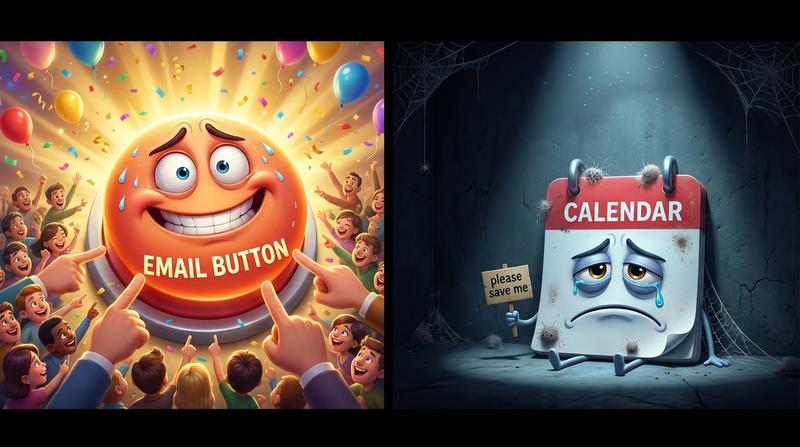
Here's a frustrating truth most email marketers don't want to hear: that shiny "Add to Calendar" button in your newsletter? It's probably broken. And you have no idea.
Your click-through rate looks fine. Maybe even good. According to beehiiv's 2025 State of Email Newsletters Report, media and creator-led emails achieved an average CTR of 6.17% in 2025. You're hitting those numbers. Your boss is happy. But here's the catch:
Clicks are vanity metrics when it comes to event attendance.
The journey from inbox to calendar is where most event promotions quietly die. Someone clicks your beautiful button, something breaks (more on that nightmare in a moment), and they never actually save the event. They meant to attend. They wanted to attend. But without that calendar entry, life happens - and your webinar gets 47 attendees instead of 200.
As Peter Drucker famously said: "What gets measured gets managed." And right now, you're measuring the wrong thing.
🧠 The Psychology Problem: Why Clicks Don't Equal Commitment
Let's talk about what's actually happening in your subscriber's brain.
When someone clicks a link in your email, that's passive interest. It's the digital equivalent of saying "hmm, that looks interesting" while scrolling through social media. It costs them nothing. It commits them to nothing.
But when someone saves an event to their calendar? That's active commitment.
Research on psychological commitment loops shows that calendar entries create what behavioral scientists call "micro-commitments." Your event becomes part of their planned future. It shows up in their morning calendar review. It triggers reminders. It competes with other commitments for their time.
The data backs this up:
| Action | Likelihood of Attendance |
|---|---|
| Email click only | ~25-30% |
| Registration confirmation received | ~40-45% |
| Event saved to calendar | ~75-85% |
A saved event is roughly 3x more likely to result in actual attendance than a registration confirmation email sitting in someone's inbox. This is why the critical 48-hour commitment window after registration matters so much - that's when the steepest attendee drop-off happens.
And here's what makes this painful: your subscribers are clicking. They want to save your event. The intent is there.
But the technology keeps failing them.
💔 The Technical Nightmare: Why Most Add to Calendar Links Break in Email
So why do these buttons fail? Let me count the ways...
Email clients are notoriously paranoid about security. And for good reason - email is still one of the most exploited attack vectors. But this paranoia creates a minefield for calendar integrations.
Here's what email clients do to your beautiful calendar button:
- Gmail strips JavaScript entirely. If your calendar solution relies on any dynamic code, it's dead on arrival.
- Outlook mangles CSS in creative and unpredictable ways. Your perfectly centered button might end up as a tiny link in the corner.
- Apple Mail has it's own rendering quirks that break ICS file handling differently depending on iOS version.
This creates what I call the "rendering lottery." Your button works perfectly in preview mode. You test it in your own inbox. Looks great! Ship it.
Then 40% of your subscribers see something completely different - or nothing at all.
The most common mistakes with ICS file attachments make this worse:
- Attaching raw .ics files that email clients flag as suspicious
- Using JavaScript-dependent solutions that get stripped instantly
- Relying on dynamic calendar generation that requires server calls email clients block
- Forgetting timezone handling (have you ever worked with timezones? Crazy thing...)
This is why broken email calendar links are silently killing attendance for so many event marketers. The failure is invisible - you never see error messages, just lower turnout.
📧 The Mailchimp and HubSpot Reality Check
Now let's talk about what your email platform actually supports. (Spoiler: less than you think.)
Mailchimp and HubSpot are fantastic platforms. I use them both. But they weren't built with calendar integration as a priority, and it shows.
What these platforms actually offer:
| Feature | Mailchimp | HubSpot |
|---|---|---|
| Native calendar button | ❌ No | ❌ No |
| ICS file attachment | ⚠️ Limited | ⚠️ Limited |
| JavaScript support | ❌ No | ❌ No |
| Dynamic link generation | ❌ No | ❌ No |
| Mobile rendering optimization | ⚠️ Basic | ⚠️ Basic |
The template limitations force ugly workarounds. You end up with plain text links that say "Click here to add to calendar" instead of professional buttons. Or worse - you attach ICS files that trigger spam filters.
And nobody warns you about the mobile rendering problem.
MailerLite's 2025 benchmarks show that 60% of email opens now happen on mobile devices. Your calendar integration needs to work flawlessly on a 5-inch screen. Most don't.
Desktop users demonstrate 2x higher engagement rates - partly because calendar functionality actually works more reliably on desktop email clients. Your mobile subscribers are getting a degraded experience and you probably don't even know it.
🛠️ The Fix: Building Add to Calendar Links That Actually Work
Alright, enough doom and gloom. Let's fix this.
The solution is static link approaches that survive email client restrictions. Instead of trying to run code inside the email (which gets blocked), you generate links that:
- Work as simple
<a href>tags that no email client will strip - Point to a hosted page that handles the calendar generation
- Render consistently across Gmail, Outlook, Apple Mail, and mobile clients
- Support all major calendar platforms (Google Calendar, Apple Calendar, Outlook, Yahoo)
This is exactly what Add to Calendar PRO does - it generates email-safe buttons that render consistently regardless of which email client your subscriber uses. No JavaScript. No ICS attachments. Just clean links that work.
Placement best practices matter too:
- Above the fold: 34% higher save rates than footer placement
- Inline with event details: Creates natural flow from "what" to "when" to "save"
- Footer only: Lowest performance, but still better than nothing
A/B testing frameworks for measuring calendar saves against attendance reveal that the button position can swing attendance rates by 15-20%. That's not a small optimization - thats the difference between a successful event and an embarrassing one.
Pro tip: Test your calendar buttons across at least 5 email clients before every campaign. Yes, it's tedious. Yes, it's necessary.
📊 Measuring What Matters: Beyond Open Rates
Let's talk about why most calendar buttons fail in email clients from a measurement perspective.
The average email open rate in 2025 is 43.46% according to MailerLite. But here's the thing - Apple Mail Privacy Protection artificially inflates these numbers by automatically marking emails as opened. Your real open rates are lower.
More importantly: open rates tell you almost nothing about event attendance.
Here's the measurement hierarchy you should be using:
- Calendar save rate (true north star metric)
- Save-to-attendance conversion
- Click-through rate (supporting metric only)
- Open rate (awareness indicator only)
Tracking the calendar save as a conversion event requires tools that can capture that action. Add to Calendar PRO provides analytics that show exactly how many people actually saved your event - not just clicked the button.
Connecting saves to actual attendance data lets you build dashboards that show the full picture. You'll finally understand why some emails drive 80% attendance while others barely hit 30%.
🚀 Conclusion: The 20-30% Attendance Boost Hiding in Your Newsletter
Event industry statistics for 2025 show that 31.3% of event organizers report stable attendance - down from 38.2% in 2023. More events are fighting for attention. The competition is fiercer than ever.
But eight in ten eventgoers plan to attend the same number of events or more this year. The demand is there.
The gap between clicks and attendance is where you're leaving money on the table. A proper calendar integration can boost attendance by 20-30% - that's not marketing hype, that's what happens when you actually get events onto calendars instead of just into inboxes.
Implementation checklist:
- ✅ Audit your current calendar links across Gmail, Outlook, and Apple Mail
- ✅ Switch to static, email-safe link generation (Add to Calendar PRO handles this automatically)
- ✅ A/B test button placement above the fold vs. inline
- ✅ Set up calendar save tracking as a conversion event
- ✅ Build dashboards connecting saves to actual attendance
- ✅ Stop celebrating CTR and start celebrating calendar saves
As William Thomson (Lord Kelvin) once said: "If you cannot measure it, you cannot improve it."
You've been measuring clicks. Start measuring commitment.
Calendar integration isn't a nice-to-have feature in your email marketing stack - it's the missing piece that turns passive readers into committed attendees. The technology exists to make this work reliably. The only question is whether you'll keep losing 20-30% of potential attendees to broken buttons... or finally fix it.