You know what's ironic? Email marketers obsess over click-through rates like they're the holy grail. But here's a truth that might sting a little: a click means nothing if it doesn't convert to a calendar save.
That 2.09% average CTR you're celebrating? It's a vanity metric. The real question is: how many of those clickers actually blocked time on their calendar?
(Spoiler: probably way fewer than you think.)
📌 Key Takeaways
- The "Calendar Commit Rate" is the metric you should be tracking - not just opens and clicks
- 40-60% of interested clickers never complete the calendar save due to email client compatibility issues
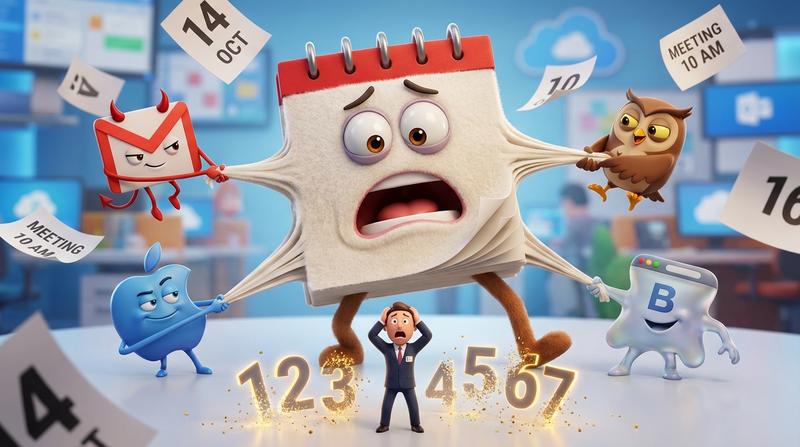
- Email clients are hostile territory - Gmail, Outlook, and Apple Mail each break calendar links differently
- Button copy matters - "Save Your Spot" outperforms generic "Add to Calendar" text
- Timezone detection is critical - without it, your 2pm event shows up at 5am for half your audience
- One universal solution can eliminate the technical chaos across 50+ email clients
💔 The Silent Killer of Event Attendance
Let me paint a picture for you.
Someone opens your beautifully crafted email. They're interested in your webinar. They click the calendar button. And then...
Nothing happens. Or worse - something broken happens.
Here's the deal: email clients are hostile territory for calendar links. I'm not being dramatic. According to recent research on Outlook and Gmail synchronization issues, common causes of calendar failures include outdated software, incorrect account settings, and authentication barriers. And that's just the tip of the iceberg.
Why Email Clients Break Your Calendar Links
| Email Client | Common Calendar Link Problem | User Impact |
|---|---|---|
| Gmail | Strips certain URL parameters | Link opens but event details missing |
| Outlook | Blocks .ics file downloads | User sees security warning, abandons |
| Apple Mail | Timezone conversion errors | Event shows wrong time |
| Yahoo Mail | Renders buttons as plain text | No clickable element at all |
| Mobile clients | Inconsistent deep-linking | Opens wrong calendar app |
This isn't a minor inconvenience. It's a conversion killer.
The Timezone Trap
Have you ever worked with timezones? Crazy thing.
Your event is at 2pm EST. Your subscriber is in Sydney. Without proper timezone detection, that 2pm shows up as 5am. Or 6am. Or some other time that makes zero sense.
And here's what happens next: they either miss the event entirely, or they just... don't bother saving it.
The real cost? Research shows that free virtual events see 35-50% live attendance from registrants. But that's registrants who successfully added the event to their calendar. What about the ones who tried and failed?
You're losing 40%+ of interested clickers before they ever complete the calendar save.
📊 The Metrics You're Missing
As Peter Drucker famously said: "What gets measured gets managed."
So let me ask you - what are you actually measuring?
Most email marketers track:
- Open rates (averaging 43.46% in 2025)
- Click-through rates (averaging 2.09%)
- Unsubscribe rates
But here's what they're NOT tracking: Calendar Commit Rate.
Introducing Calendar Commit Rate
This is your true north. It's the percentage of email recipients who actually save your event to their calendar.
Not clicked. Not "interested." Actually committed.
Because calendar saves beat email confirmations when it comes to actual attendance. The psychology is simple: when someone actively blocks time on their calendar, they've made a micro-commitment. They own that time slot now.
A confirmation email? That's passive. It sits in an inbox, buried under 47 other messages.
A calendar event? That's active. It triggers reminders. It blocks the time visually. It creates a sense of obligation.
How to Track the Gap
Here's a simple framework:
- Email sends → How many people received your event promotion?
- Email opens → How many saw it?
- Button clicks → How many showed interest?
- Calendar saves → How many committed?
- Actual attendance → How many showed up?
Most marketers stop at step 3. But the magic happens between steps 3 and 4.
🛠️ Anatomy of a Bulletproof Calendar CTA
Alright, let's get practical. What actually works inside email clients?
Button vs Link vs Image
The surprising winner? A styled button that links to a hosted landing page - not a direct .ics download.
Why? Because:
- Direct .ics files get blocked by security filters
- Inline calendar links break across clients
- Landing pages work universally AND let you track conversions
But there's a catch: that landing page needs to work flawlessly. Otherwise you've just added friction.
Copy That Drives Saves
Not all button copy is created equal.
| Button Text | Psychology | Effectiveness |
|---|---|---|
| "Add to Calendar" | Generic, expected | Baseline |
| "Save Your Spot" | Implies scarcity, ownership | +15-20% clicks |
| "Block This Time" | Action-oriented, commitment | +10-15% clicks |
| "Don't Miss This" | Fear-based, negative | Lower completion rate |
| "Reserve My Seat" | Ownership + exclusivity | Best for limited events |
The word "Your" or "My" matters more than you'd think. It creates psychological ownership before the action is even complete.
Placement Psychology
Where should the button go?
- Above the fold: Gets more clicks, but lower intent (people haven't read details yet)
- After event details: Higher intent, fewer impulse clicks
- Repeated (top and bottom): Best of both worlds - catches scanners AND readers
My recommendation? Use it twice. Once as a teaser near the top, once as a clear CTA after you've sold the value of attending.
🩹 The Technical Fix
Okay, here's where things get interesting.
You could try to build calendar links that work across every email client. You could test Gmail, Outlook, Apple Mail, Yahoo, and 46 other clients. You could handle timezone detection yourself. You could maintain fallback options for when things break.
Or... you could just not do any of that.
This is exactly why calendar email links that actually work require a different approach. The solution isn't better coding - it's middleware that handles the chaos for you.
How Add to Calendar PRO Handles Email Client Chaos
Here's the approach that actually works:
- Universal compatibility - One button that renders correctly across 50+ email clients
- Dynamic timezone detection - Automatically shows the right time based on the user's location
- Multi-calendar support - Google Calendar, Outlook, Apple Calendar, Yahoo - all from one button
- Fallback options - If one method fails, alternatives are offered automatically
- Tracking built-in - Know exactly who saved your event (not just who clicked)
The beauty is in the simplicity. You add one button. It just works.
As the story behind our bulletproof calendar button explains, existing solutions were broken or limited. Server-side rendering, pre-checking providers, and reliability improvements of 90%+ changed everything.
🚀 Implementation Playbook
Let's make this actionable. Here's how to implement bulletproof calendar CTAs in your email platform.
For Mailchimp Users
- Create your event in Add to Calendar PRO
- Copy the generated button code or hosted link
- In Mailchimp's editor, add a button block
- Paste the hosted link as your button URL
- Style the button to match your template
- Test across multiple email clients before sending
For HubSpot Users
- Generate your calendar button through Add to Calendar PRO
- In HubSpot's email editor, insert a CTA module
- Link to your hosted calendar page
- Enable tracking to measure calendar commit rate
- Set up a workflow to tag contacts who save the event
A/B Testing Your Calendar CTAs
Test these variables:
- Button copy ("Add to Calendar" vs "Save Your Spot")
- Button color (contrasting vs brand-matched)
- Placement (single vs repeated)
- Surrounding copy (urgency-focused vs benefit-focused)
Run each test for at least 1,000 sends before drawing conclusions.
Measuring the Attendance Lift
Here's your before/after framework:
| Metric | Before Implementation | After Implementation | Lift |
|---|---|---|---|
| Click rate on calendar CTA | Baseline | Track change | X% |
| Calendar save rate | Unknown → measurable | Your new benchmark | Trackable |
| Event attendance rate | Your current rate | Expected 20-30% lift | Measurable |
| No-show rate | 35-50% typical | Target <25% | Reduction |
The Click That Actually Counts
Let me leave you with this thought from Seth Godin: "Don't find customers for your products, find products for your customers."
Your customers - your subscribers - don't want another email to forget about. They want events they'll actually attend. Experiences they'll actually have.
The calendar save is where that transformation happens. It's where passive interest becomes active commitment.
So here's my challenge to you:
Stop optimizing for vanity metrics.
- Opens don't predict attendance
- Clicks don't guarantee saves
- Confirmation emails don't create commitment
Start measuring what matters:
- Calendar Commit Rate
- Save-to-attendance ratio
- The gap between interest and action
The email button nobody clicks twice? That's the one that worked the first time. Because when someone saves your event to their calendar, they don't need to click again.
They just show up.
Ready to stop losing attendees to broken calendar links? Add to Calendar PRO handles the technical chaos so you can focus on what matters - creating events worth attending.