Key Takeaways:
- Your beautifully designed print flyer is doing its job - the QR code gets scanned. But a broken RSVP form on mobile silently kills every conversion after that.
- Custom field validation that works perfectly on desktop can fail without warning in mobile browsers and in-app WebViews.
- Only 31% of marketers track what happens after a QR code scan, which means most never discover the problem.
- The real conversion isn't the RSVP submission - it's the calendar save. Skip the broken middle step.
- Dynamic QR codes paired with direct-to-calendar workflows eliminate the most common failure points between print and digital.
Here's a number that should make you uncomfortable: 88% of users won't return after a bad form experience on mobile (Reform, 2025). Not "might not." Won't.
Now imagine you've spent $400 on a gorgeous farmers market flyer. You've printed 2,000 copies. You've placed them at coffee shops, community boards, and the library entrance. The QR code on your flyer is getting scanned - 3,000 times, in fact.
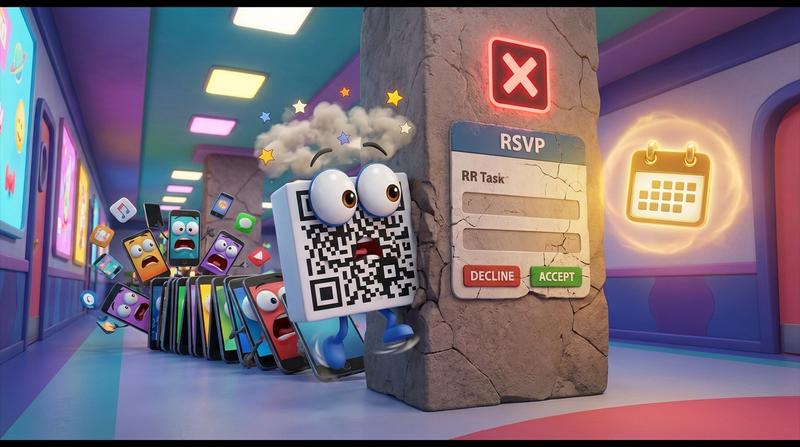
But zero people end up with your event on their calendar.
Zero.
Not because they didn't care. Not because the design was bad. Because the RSVP form behind that QR code had a custom field validation rule that silently broke on mobile. And nobody - not you, not your form builder, not your analytics dashboard - told you it happened.
This is the print-to-digital gap nobody talks about. And it's costing event organizers more than they realize.
🔍 Why QR-Driven RSVPs Fail in the Real World
Let's trace the journey from a printed flyer to a calendar save. It seems simple, right?
- Person sees flyer.
- Person scans QR code.
- QR code opens a landing page or RSVP form.
- Person fills out the form.
- Form submits successfully.
- An ICS calendar file gets generated.
- Person taps "Add to Calendar."
Seven steps. And the failure can happen at any one of them.
But here's the deal: the most common failure point isn't step 1 or step 2. People are scanning. Bitly's 2025 data shows QR codes on event materials drive 3x more engagement than traditional URLs. Over two-thirds of consumers used a QR code in the past year.
The scan is happening. The problem is what comes after the scan.
Specifically, it's step 4 - the RSVP form. And even more specifically, it's custom field validation that works fine on a desktop browser but quietly, invisibly breaks on mobile.
Here's why this is so insidious:
- Mobile users abandon forms 16% more often than desktop users (Reform, 2025).
- 53% of mobile users bail if a page takes more than 3 seconds to load.
- Users are 31% more likely to complete forms on desktop than on mobile.
And yet - guess where virtually 100% of your QR code scans come from? That's right. Mobile phones.
You've designed a workflow where the entry point is exclusively mobile, and then you're funneling people into a form experience that performs worst on mobile. Ouch.
If you haven't already, take a look at what actually happens after someone scans a QR code on your event poster. The 8-second attention window is real, and you're burning most of it on a form that may not even work.
"The best interface is no interface." - Golden Krishna
Real examples I've seen this play out:
- Conference programs with QR codes linking to multi-field registration forms that require a company name field with regex validation - which breaks in Samsung's in-app browser.
- Theater season schedules where the "select your preferred performance date" dropdown renders as an unscrollable element in Instagram's WebView.
- Farmers market flyers (yes, exactly like this one) where a required phone number field with format masking silently rejects every input on iOS Safari.
The worst part? Nobody tracks this drop-off. Bitly's research found that only 31% of marketers monitor the post-scan customer journey, and a mere 16% tie QR engagement to actual revenue. You literally don't know it's happening.
🛠️ What 'Custom Field Validation' Actually Means for Event Forms
Let's break this down in plain English, because "custom field validation" sounds like something only a developer should care about. But if you're the one creating the RSVP form - even with a no-code form builder - this directly affects you.
Custom field validation is any rule you set on a form field that checks whether the user's input is "correct" before allowing the form to submit. Common examples:
- Required fields: "You must enter your email address."
- Format checks: "Phone number must be in (XXX) XXX-XXXX format."
- Conditional logic: "If you select 'Yes' for dietary restrictions, show the allergy dropdown."
- Character limits: "Name must be between 2 and 50 characters."
Each one of these can quietly block a form submission. And here's what most people don't understand:
There are two types of validation -
| Client-Side Validation | Server-Side Validation | |
|---|---|---|
| Where it runs | In the user's browser | On the server after submission |
| Speed | Instant feedback | Requires a round-trip |
| Problem | Depends entirely on the browser/WebView supporting the JavaScript correctly | User sees no error - just nothing happens |
| Mobile risk | HIGH - different browsers interpret JS differently | MEDIUM - but can cause silent failures |
| What the user sees when it fails | Often nothing. Maybe a flash. Maybe the button just... doesn't work. | A blank page, a generic error, or a redirect to nowhere. |
The W3C WebView Community Group's 2025 documentation spells this out clearly: up to 30% of apps in the App Store and Google Play rely on WebViews that have known compatibility gaps with standard web features. And when someone scans your QR code from Instagram, TikTok, or even their camera app, they're often not opening a real browser - they're opening an in-app WebView with unpredictable behavior.
So here's what happens in practice:
- You add a "Phone Number" field with a format mask to your RSVP form.
- It works great on Chrome desktop.
- Someone at the farmers market scans your QR code.
- Their phone opens the form in Instagram's in-app WebView.
- The JavaScript that powers the format mask doesn't execute correctly.
- The user types their phone number, but the validation thinks the field is empty or malformatted.
- They tap "Submit." Nothing happens.
- They tap it again. Still nothing.
- They close the page.
No error message. No analytics event. No ICS file generated. No calendar save.
And your form builder? It doens't tell you this happened. Most form tools only log successful submissions. The failure is invisible.
😓 Spoiler: this is happening to more of your scans than you think.
🩹 Building a Print-Ready RSVP Workflow That Actually Closes
Okay, so the problem is clear. But what does a workflow that actually works look like?
Let's start with the principles:
- Minimize steps between scan and calendar save. Every extra screen is a drop-off point.
- Use dynamic QR codes so you can update the destination URL after printing. (Because your event date will change.)
- Don't rely on complex form validation in a mobile WebView. Just don't.
- Make the calendar save the primary action - not a secondary thing that happens after form submission.
- Track everything - especially which physical material drove the scan.
Here's what the old way vs. the new way looks like:
| ❌ Old Way (Broken) | ✅ New Way (Closes) | |
|---|---|---|
| QR Code Type | Static - links to a fixed URL forever | Dynamic - can be updated after print |
| Post-Scan Experience | Multi-field RSVP form with validation | One-tap calendar save (RSVP optional, frictionless) |
| Mobile Compatibility | Depends on which browser/WebView opens it | Designed for mobile-first, handles edge cases |
| ICS Generation | Only after successful form submission (if it even works) | Generated automatically, works across all calendar apps |
| Analytics | Total scans only (maybe) | Scans by location, device, conversion to calendar save |
| When the Event Date Changes | Reprint everything 😩 | Update the QR destination remotely |
This is exactly where Add to Calendar PRO fits into the workflow. And no, I'm not just saying that because it's convenient (well... partially 🙊). Here's why it genuinely solves this specific problem:
- Dynamic QR codes that survive reprint cycles. You generate the QR code once. If the event time, location, or description changes, you update it in the dashboard. The printed code still works. No reprinting.
- The form-to-calendar gap doesn't exist. Instead of requiring a succesful form submission before an ICS file gets generated, Add to Calendar PRO handles the calendar save as its own action. The user scans, taps, saves. Done.
- Custom field logic without the breakage. If you do need RSVP data collection, Add to Calendar PRO handles form logic in a way that's built for mobile WebViews and in-app browsers - not just desktop Chrome. You can even set up a branded RSVP form that lives on its own page without iframe limitations, which sidesteps the most common WebView rendering failures entirely.
- Per-material analytics. Generate a unique QR code for each poster location. Now you know which coffee shop bulletin board drove 200 saves and which one drove 3.
"What gets measured gets managed." - Peter Drucker
And here's the thing that most organizers overlook: the calendar save IS the conversion, not the RSVP form submission. When your event lands on someone's Google Calendar or Apple Calendar, you've won a spot in their day. You've gotten past the noise. The RSVP form is a means to an end - and if it's the thing breaking the chain, cut it out or fix it.
💡 The Flyer Deserves a Better Ending
Let's be honest. Print collateral is already doing the hardest work in your marketing stack. It got someone to stop, look, and pull out their phone. That's remarkable in 2025.
Bitly's data confirms this: 88% of marketers believe consumer sentiment toward QR codes has grown more positive, and 86% plan to increase QR code usage in the next 12 months. The average scan-to-action conversion rate sits at 15-20% when the post-scan experience is optimized.
But "optimized" is doing a lot of heavy lifting in that sentence. Because right now, most post-scan experiences are anything but.
So here's your action plan:
- Audit your current QR-to-form flow on 3 different mobile devices. Not just your iPhone. Try an Android phone in Instagram's in-app browser. Try it in Facebook Messenger. Watch what happens.
- Count the steps from scan to calendar save. If it's more than 2 taps, you're losing people.
- Check if your form builder even logs failed validation attempts. (Spoiler: it probably doesn't.)
- Switch to dynamic QR codes so the next date change doesn't cost you another print run.
- Make the calendar save the hero action - not an afterthought buried in a confirmation email.
You can share calendar events from print materials using QR codes without the middleman form that nobody asked for and everyone abandons.
That 3,000-view flyer? It was doing its job beautifully. The broken RSVP form just never let anyone finish theirs.
Don't let a misconfigured phone number field be the reason nobody shows up to your farmers market. 🥕